
How to Set Up Asana for Agency Clients: 2 Proven Project Structures
If you work at an agency, you already know the real challenge is rarely the work itself. It’s managing many clients, many deliverables, and many moving parts without losing visibility or creating chaos behind the scenes.
That is usually the point when teams start looking for better project management tools, and for many agencies, that leads them to Asana.
I’ve worked with a lot of agencies setting up Asana project management systems for client delivery, and I’ve noticed the same pattern over and over again: adopting the tool is only the first step.
What really shapes the experience is how you structure your Asana workspace. Your Asana workspace is the overall environment where your team manages projects, tasks, collaboration, and reporting. From there, the way you organize each Asana project and how consistent that structure stays as the agency grows makes all the difference.
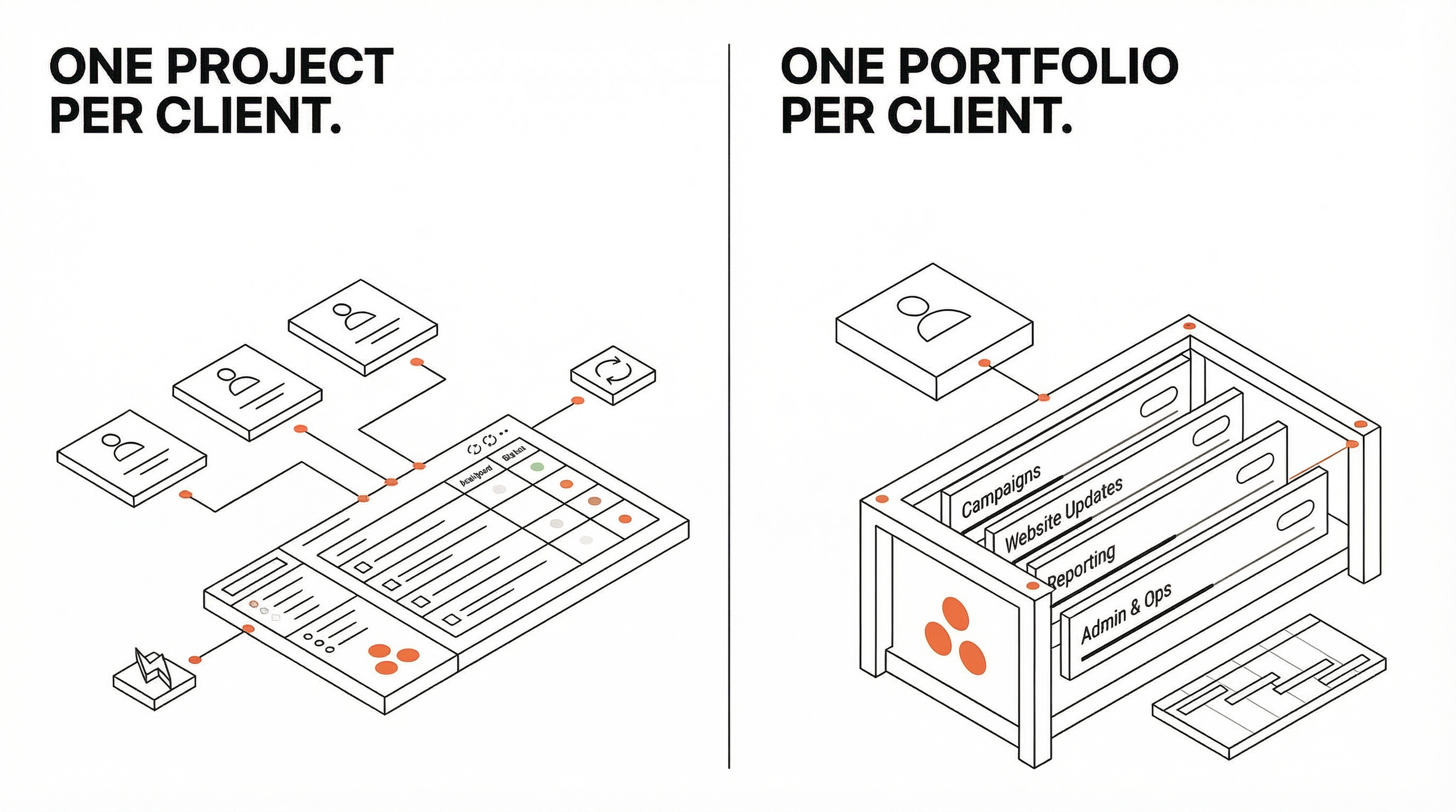
In my experience, there are two strong models that work well for agencies:
One Asana project per client
One portfolio per client, with multiple projects inside it
This guide walks through both approaches, when to use them, and how to build a cleaner system for intake, delivery, reporting, and leadership visibility.
What Is the Best Asana Setup for Agencies Managing Client Work?
If you want the short version, here it is:
Use one Asana project per client when your agency delivers repeatable services across many accounts.
Use one Asana portfolio per client when an account includes multiple campaigns, workstreams, teams, or timelines.
In both cases, the structure only works well if you also standardize your templates, custom fields, request flow, and reporting.
My general recommendation is to start simpler than you think you need to.
A lot of agencies overcomplicate their setup early on. In practice, a well-built Asana project can handle far more than most teams expect. I usually recommend moving to a portfolio-based structure only when the client relationship genuinely requires it.
Before Delivery: Set Up the Sales-to-Delivery Handoff
Before you build a client-facing delivery structure, it helps to look at where the client relationship starts.
For some agencies, that starting point lives in HubSpot or Salesforce. If your team already has a CRM process that works, there is no reason to force everything into one platform. Asana integrates well with both, and that handoff can work smoothly when it is designed properly.
That said, I have also seen agencies manage a lightweight sales pipeline directly inside their Asana workspace, especially when they want one connected system from first conversation to final delivery.
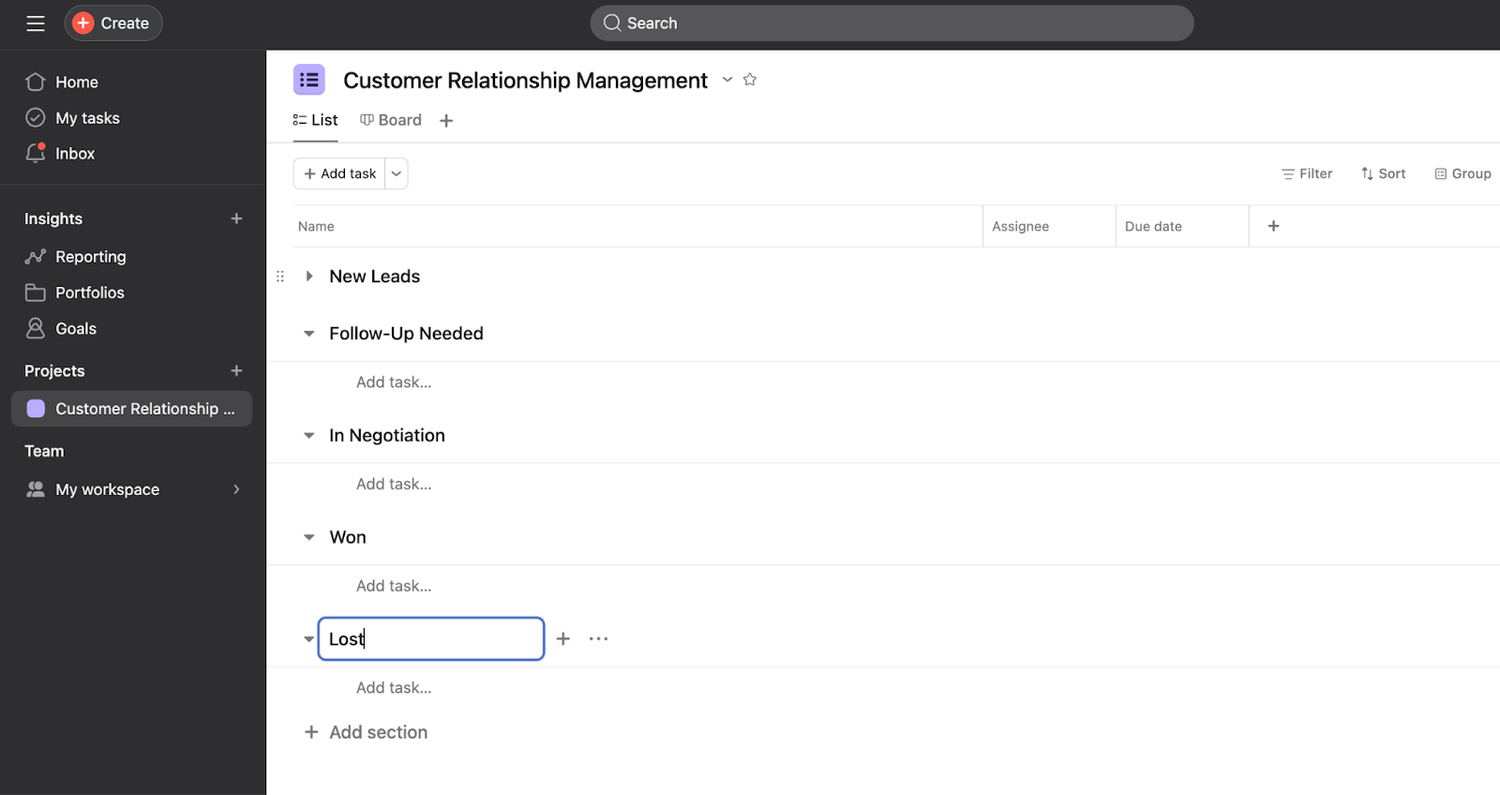
A simple sales pipeline in Asana usually looks like this:
One dedicated sales project
Each opportunity tracked as a task
Custom fields for company name, contact person, deal value, service type, and pipeline stage
As the opportunity moves forward, the team updates the stage. Once the deal is marked closed-won, that status can trigger the next step in delivery.
This is one of the areas where agencies tend to lose information. Important context gets stuck in someone’s inbox, buried in CRM notes, or dropped during the handoff. A cleaner transition into your delivery setup can save a lot of time and avoid the usual back-and-forth later.
My view on this is pretty simple: the less your team has to re-enter, re-explain, or go hunting for, the better your system is.
Option 1: Use One Asana Project per Client for Repeatable Agency Work
This is the setup I recommend most often for agencies.
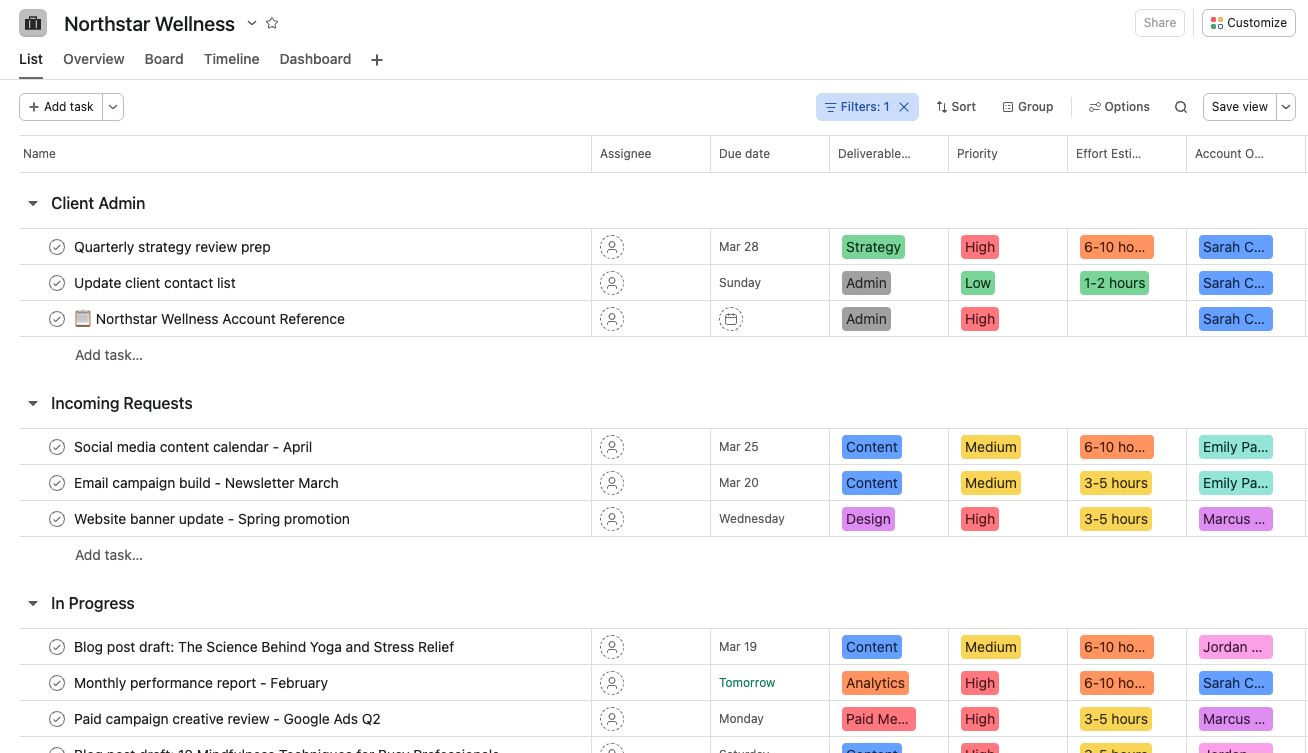
In this model, each client gets their own Asana project, built from a standard template. An Asana project is a dedicated space for organizing related work, timelines, owners, and deliverables in one place. This works especially well for agencies delivering similar services across multiple accounts and looking for a practical, repeatable structure.
When to Use One Asana Project per Client
Use one Asana project per client when:
You manage several clients with similar deliverables
Your workflows are repeatable
You want faster onboarding for new clients
Your team needs one clear place to view client work
For many agencies, this is the best balance of simplicity and control. It gives each account its own space without creating unnecessary layers.
Build a Standard Asana Project Template for Every Client
The quality of this model depends on the quality of your template.
A good client template gives your team a repeatable starting point every time a new client comes in. Instead of rebuilding the structure from scratch, you can create a new Asana project from the template and start working with a consistent foundation.
I usually recommend including a client admin section for recurring account management work, such as:
Client kickoff
Monthly reporting
Internal reviews
Client meetings
Contract details
A reference task with client contacts, preferences, scope, and important notes
This section becomes the operating base for the account. It is where the team can quickly orient themselves without searching through messages or meeting notes.
Use Task Templates to Standardize Recurring Deliverables in Asana
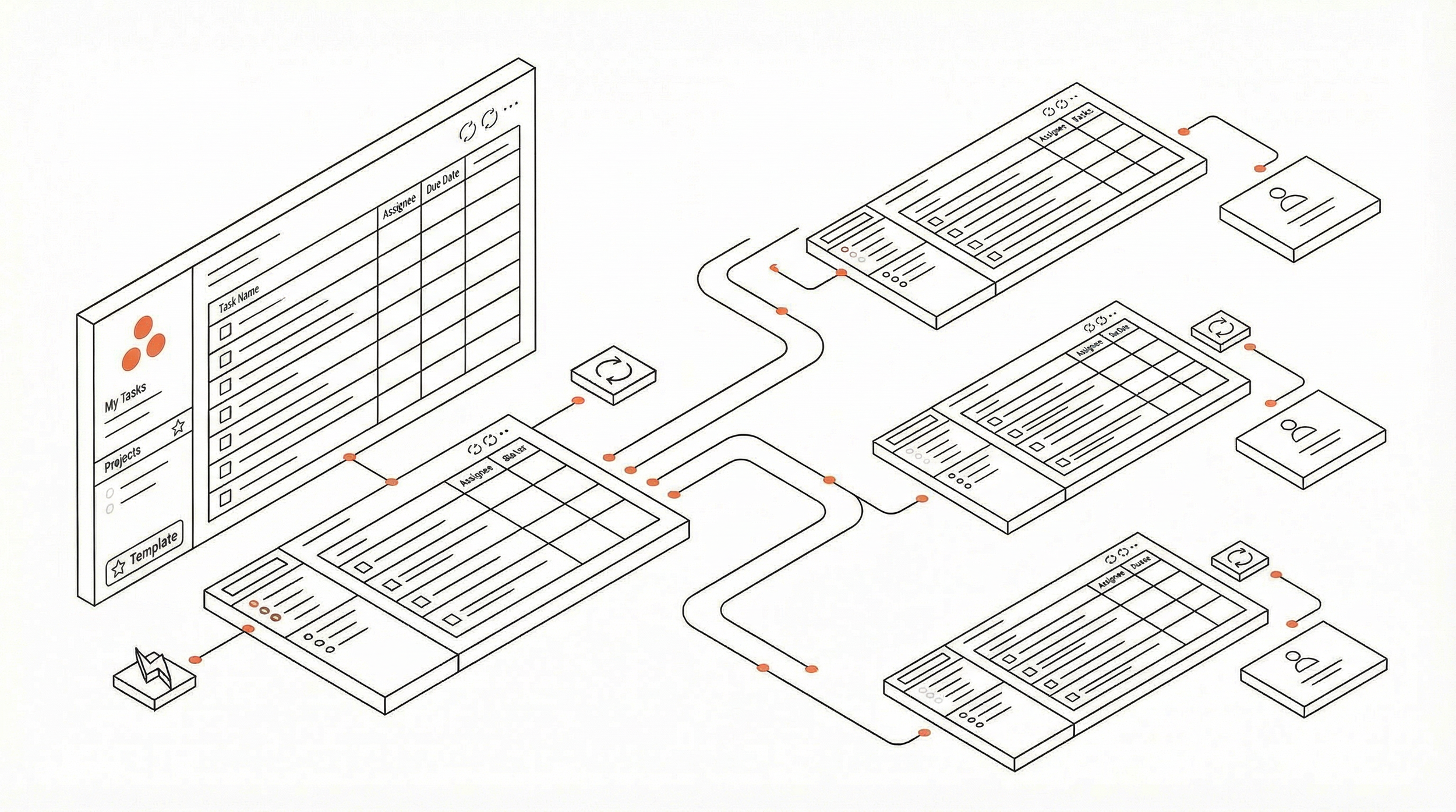
If your agency produces repeatable deliverables, task templates make a big difference.
A task template in Asana is a reusable task structure with pre-built subtasks, owners, and due date logic for recurring work.
I’ve found that agencies get the best results when every recurring deliverable type has its own template inside the broader Asana project management system. That could include a blog post, landing page, campaign launch, video edit, email nurture sequence, or website update.
A strong task template usually includes:
A defined production flow
Pre-built subtasks
Clear responsibilities
Estimated effort
Due date logic based on the start date
This is one of those details that seems small until you see the cumulative effect. A consistent template reduces missed steps, shortens onboarding time, and makes the quality of delivery much less dependent on memory.
In my opinion, agencies often underestimate how much operational clarity comes from getting this part right.
Create Separate Asana Projects for Internal Production Teams When Needed
For larger agencies or more specialized teams, it can help to separate execution by work type.
For example, you might have:
A blog production project
A video production project
A social media production project
In that case, a task can live in both the client’s Asana project and the relevant production project. This gives each internal team a focused view of their own queue while keeping the work connected to the client account.
I usually recommend this when teams are starting to feel friction from too much work living in one place, but the client itself still does not need a full portfolio structure.
Set Up a Clear Intake Process for Client Requests in Asana
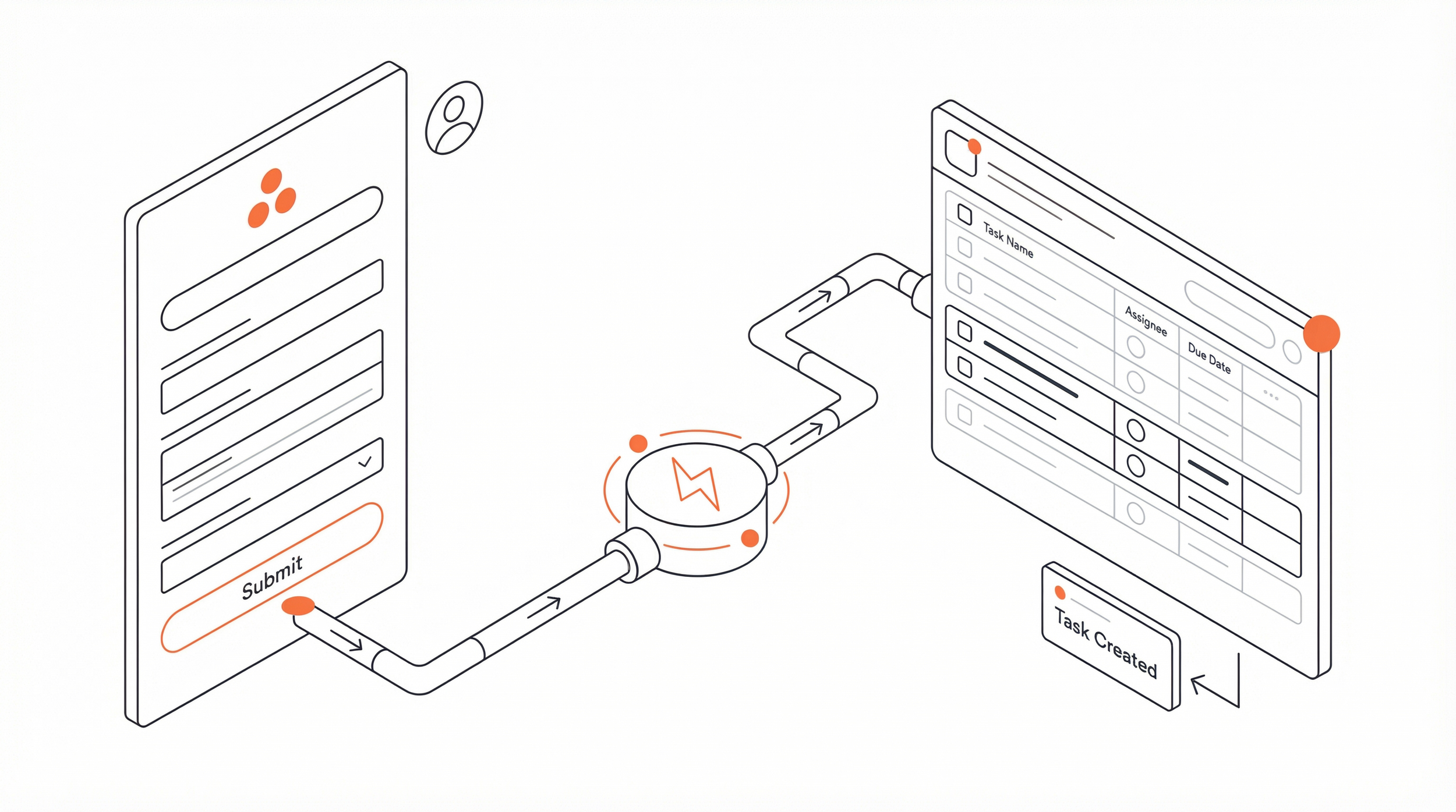
Incoming work needs structure, too.
There are two approaches I see most often:
Internal intake
Your team creates work directly inside the client’s Asana project using task templates.Client request intake
Clients submit requests through a form, which sends the work into a triage project. Your team reviews the request, then routes it to the right place.
Both can work. The important part is not which method you choose. The important part is that the flow is consistent and easy to follow.
If intake feels messy, delivery will feel messy too.
Use Asana Rules to Automate Repetitive Agency Work
Automation is where the system starts to feel lighter.
I typically recommend using Asana rules to:
Assign tasks automatically
Set due dates when a task moves into a section
Apply task templates
Update stage or status
Add default effort estimates
This is also what makes workload planning more useful later. Once effort, due dates, and ownership are standardized, reporting becomes far more accurate.

Best Custom Fields to Use in an Asana Project for Agency Clients
If you want stronger reporting and cleaner data, standardize your custom fields across all client projects. Custom fields in Asana are structured fields that help teams track the same information consistently, such as client tier, service type, effort, budget, or priority.
A solid starting set might include:
Client Tier
Service Type
Region
Account Owner
Monthly Retainer Value
Deliverable Type
Effort Estimate (hours)
Priority
These fields help with day-to-day organization, but they matter even more when you start reporting across multiple clients.
Use Asana Portfolios to Track Client Projects and Agency Workload
Once each client has their own Asana project, you can group them using Asana portfolios. Asana portfolios are collections of projects that let teams track status, workload, and progress across multiple projects at once. This gives leadership a clearer view of delivery across the agency without needing to review every project individually.
This creates a much clearer leadership view across the agency.
A portfolio can help you track:
Project health
Workload and capacity
Timeline risk
Client segmentation
Budget or retainer visibility
Overdue work
This is one of the most useful parts of the overall Asana project management setup. Leadership does not need to dig through individual projects to understand what is happening. They can review performance and risk from a higher level without losing visibility.
Option 2: Use One Asana Portfolio per Client for Complex or Enterprise Accounts
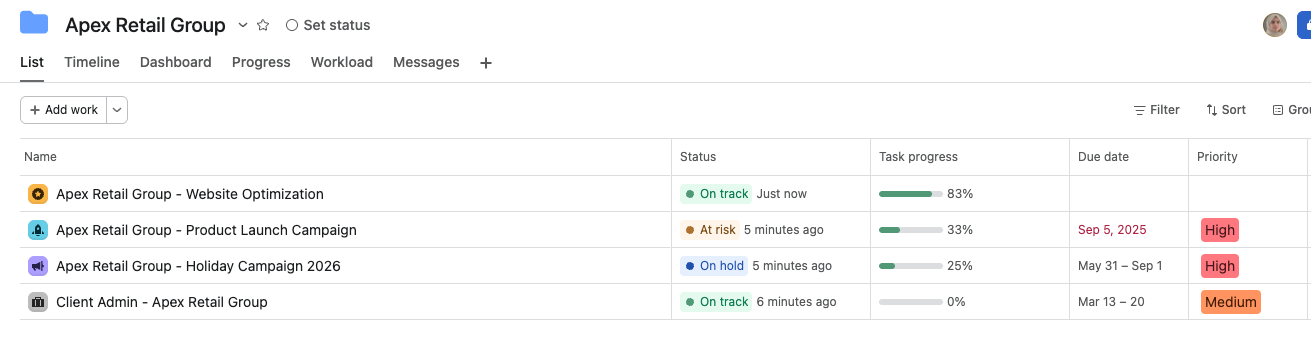
Some client engagements are simply too complex for a single project.
If a client has multiple campaigns running at once, different internal teams involved, separate budgets, or very different timelines, one project can start to feel crowded. That is usually when I recommend moving to a portfolio-based setup.
In this model, each client gets their own portfolio, and each initiative within that client relationship gets its own project.
When to Use One Asana Portfolio per Client
Use one portfolio per client when:
The client has several active initiatives at the same time
Multiple internal teams are involved
Timelines vary significantly across workstreams
You need reporting at both initiative level and client level
This is where Asana portfolios become especially helpful. They give you room to separate complex work while still keeping everything under one account-level structure.
Create Separate Asana Projects for Each Client Initiative
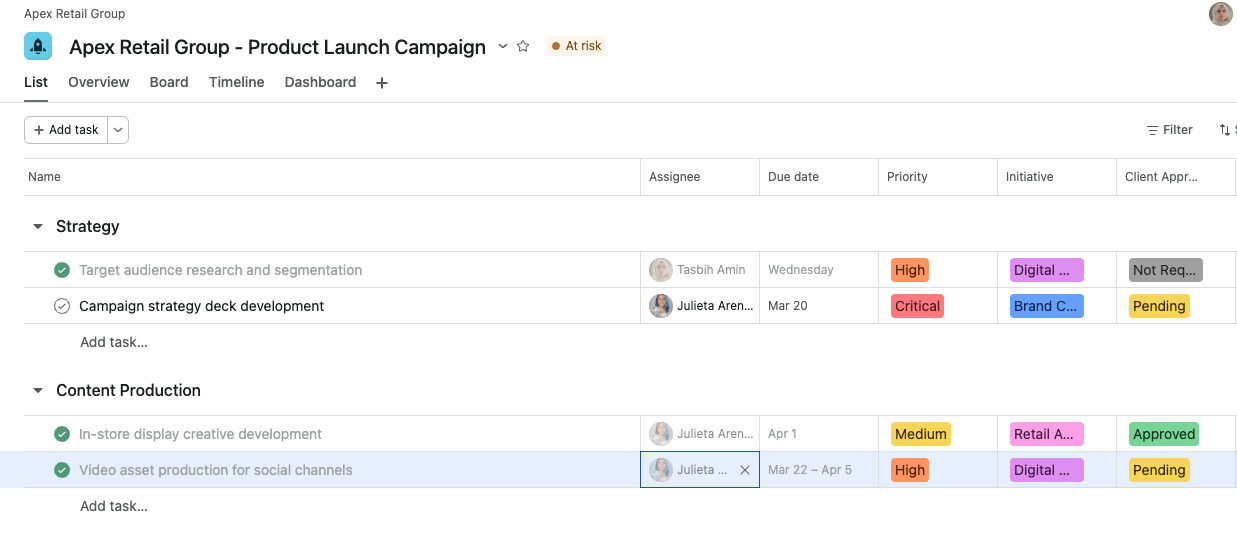
With this setup, each initiative becomes its own Asana project inside the client portfolio.
You might have templates for:
Product launches
Campaign delivery
Website optimization
Brand refreshes
Paid media initiatives
That gives each stream of work its own timeline, ownership, and operational structure, while still rolling up into one client view.
I generally prefer this over forcing everything into one crowded project with too many sections, too many status layers, and too many unrelated deliverables living beside each other.
Use Templates, Forms, and Rules Across Every Client Project
The building blocks do not change just because the structure changes.
You still want:
Task templates for recurring work
Intake forms for requests
Rules for routing, assignments, and due dates
Standard custom fields for reporting
The difference is that these systems now operate across multiple projects rather than inside one single project.
Create a Dedicated Client Admin Project Inside Each Asana Portfolio
When work is distributed across several projects, I strongly recommend adding one dedicated admin project inside the client portfolio.
This is where I would keep:
Client contacts
Meeting cadence
Reporting schedule
Scope and account notes
Key decisions and relationship details
That admin project becomes the central reference point for the account.
Without it, teams often end up with important client information scattered across projects, docs, and chat threads.
Best Custom Fields to Use in Asana Portfolios and Initiative Projects
At the project level, I recommend fields like:
Initiative Type
Department or Team
Campaign Owner
Budget
Status
Effort Estimate
At the portfolio level, it helps to track:
Client Tier
Account Owner
Region
Total Budget
Strategic Priority
These fields make Asana portfolios much more valuable because they support cleaner roll-up reporting.
Should Your Agency Use One Asana Project per Client or One Portfolio per Client?
Here is the simplest way I would frame it:
If you are unsure, I would usually start with one Asana project per client.
It is easier to keep clean, easier to teach, and easier to scale. A lot of agencies do not need a more complex structure until a specific client account grows beyond what one project can comfortably hold.
Whichever model you choose, the real value comes from the supporting system around it: templates, custom fields, intake rules, automation, and reporting. That is the kind of operational foundation we focus on in our workflow optimization work with teams using Asana.
Example: Choosing the Right Asana Structure for a Growing Agency

Imagine an agency with 15 active clients. Most of them need monthly content, regular reporting, and occasional campaign work. The workflows are repeatable, the team is relatively small, and the approval process is similar across accounts.
That agency will usually do very well with one Asana project per client.
Each client gets:
The same project template
The same request process
The same core fields
The same reporting structure
Leadership can then track everything through one master portfolio.
Now imagine one of those clients grows into a much larger account. Suddenly there are multiple campaigns running at once, different stakeholders across departments, and separate workstreams that need their own timelines and visibility.
That is when I would move that specific client to a portfolio model.
This is something I think teams need to hear more often: your agency does not need one universal structure for every client forever. You can keep most clients on a simple project-based model and move only the more complex accounts into Asana portfolios when it makes sense.
How to Use Asana Portfolios for Agency-Wide Reporting and Leadership Visibility
Once you have multiple client projects or client portfolios in place, reporting becomes the next big question.
Option A: One master client portfolio
This is the simplest reporting setup.
You create one master portfolio that includes:
All client projects, if you use the one-project-per-client model
Or all client portfolios, if you use the portfolio-per-client model
This works well for:
Executive reporting
Agency-wide workload planning
Quick health checks
Leadership visibility across all accounts
Option B: Segment by region, tier, industry, or service line
Larger agencies may need another reporting layer.
You can structure Asana portfolios by:
Region
Client tier
Industry
Service line
That creates a more layered reporting model and makes it easier to answer questions at different levels of the organization.
For example:
Master client portfolio → regional portfolio → client portfolio → initiative projects
This is especially useful when leadership wants both a high-level operational view and more detailed segment reporting.
What Makes an Asana Workspace Scalable for Agency Project Management
The project structure matters, but in my experience, the real success comes from the consistency underneath it.
An Asana workspace becomes much easier to manage when teams agree on:
How projects are named
Which custom fields are required
How requests enter the system
When templates are used
How effort is tracked
How status is reported
That is the part agencies tend to skip because it feels less exciting than building the structure itself. But it is also the part that usually determines whether the system stays useful six months later.
My strongest opinion here is that simplicity and consistency beat cleverness almost every time.
A smart-looking setup is not the goal. A setup that people actually use properly is.
Key Takeaway
There is no single perfect way to structure clients in Asana. The right setup depends on the size of your agency, the complexity of your client relationships, and how your team delivers work.
That said, most agencies will get the best results from one Asana project per client. It is simpler to manage, easier to standardize, and easier to scale across repeatable services.
For larger, more complex engagements, Asana portfolios give you a better way to manage multiple initiatives under one client relationship without losing visibility.
If your team is trying to improve how you manage client delivery in Asana, start by simplifying the structure and standardizing the way work moves through it. In most cases, that gets you much further than adding more complexity.
FAQ: How Agencies Use Asana for Project Management
Should every client have their own Asana project?
For most agencies, yes. A separate Asana project for each client is usually the clearest and most scalable setup when services are repeatable.
When should an agency use Asana portfolios instead of a single project?
Use Asana portfolios when a client has multiple campaigns, multiple workstreams, different internal teams, or several timelines that need to be managed separately.
Can Asana be used for agency project management?
Yes. Asana works well for agency project management, especially when the system includes templates, custom fields, request intake, automation, and portfolio-level reporting.
What should be included in an agency’s Asana workspace?
A strong Asana workspace usually includes a clear project structure, standardized templates, custom fields, intake forms, reporting portfolios, and rules to automate common steps.
What is the best Asana setup for agencies?
For most agencies, the best Asana project management setup is one project per client, supported by task templates, request forms, automation, and one master reporting portfolio.
