AI Teammates in Asana: What They Are, How to Build Them, and Are They Worth It?
Last updated: February 2026
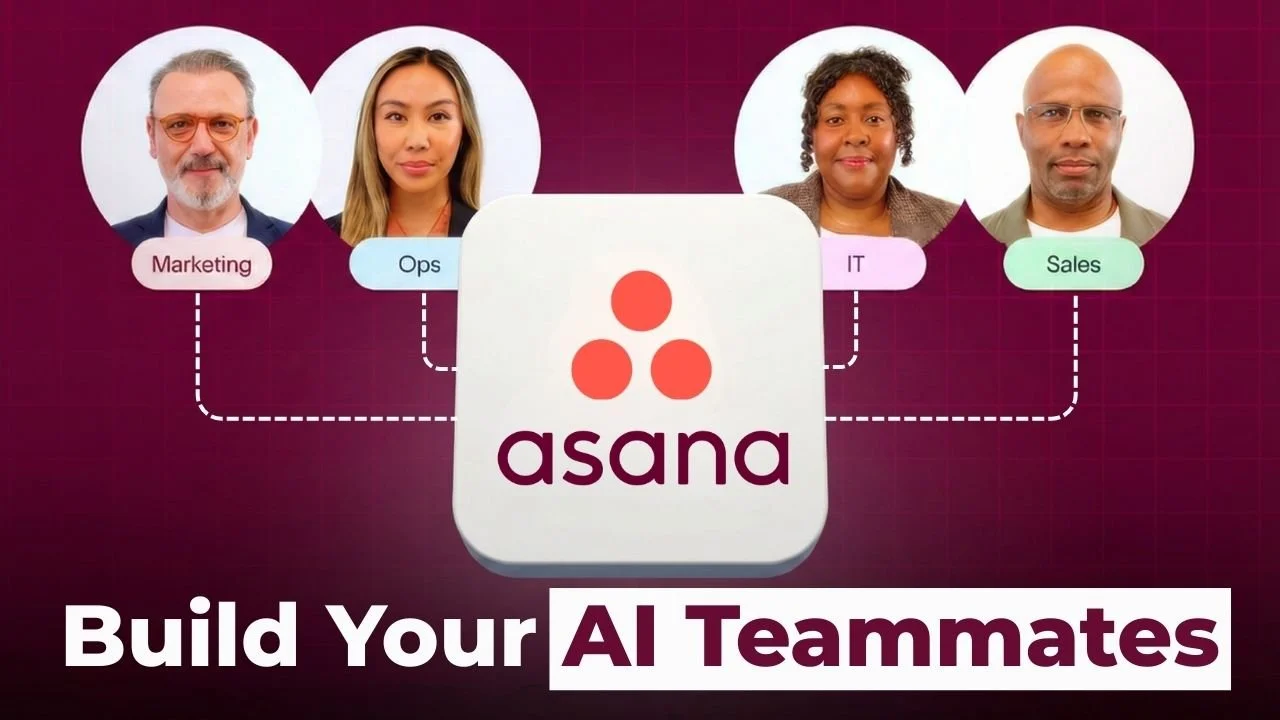
So I’ve been playing with the new “AI Teammates in Asana” and I have to say they are a collaborative, intelligent type of AI that far surpasses the abilities of an automation rule. They can read context, learn from feedback and can manage complex workflows across an entire workspace.
We have a few custom Teammates that we have built at Cirface that really improve our workflow for procurement compliance, SOWs and video production. The Teammates have really changed the way we work and if you have a team that is currently having to heavily coordinate tasks, I’d recommend giving them a look.
You’ll need to be on an AI Studio Pro plan to be able to access the beta, but they’re hoping to make the full release in early 2026.
What Are AI Teammates and Who Are They For?
When we talk about AI and Asana being a teammate, we truly believe that. Not in a marketing buzzword way — in a "this thing just reviewed a 12-page contract and flagged the three clauses we actually need legal to look at" way.
AI Teammates in Asana are collaborative AI agents built inside Asana AI Studio that live in your workspace and work alongside your team. You assign them tasks, they respond with updates, they look at information, and they get to work. Think of them as semi-autonomous digital team members that handle the busy admin work nobody wants to do — the kind of AI workflow automation that takes care of the stuff that pulls your team away from the skilled knowledge work everyone's actually hired for.
So how do you use AI in Asana effectively? These AI agents in Asana leverage the Asana Work Graph, a proprietary knowledge network that maps relationships between tasks, projects, and people across your organization. This contextual understanding is what sets them apart from basic task automation in Asana or standard AI project management tools: they don't just follow rigid instructions, they understand your project context and make judgment calls within the parameters you set.
Who benefits most from AI Teammates?
Teams drowning in repetitive coordination tasks (status updates, ticket triage, document reviews)
Organizations with standardized processes that still need human-like judgment at key decision points
Companies that want to scale operations without proportionally scaling headcount
Anyone who's tired of copying and pasting the same information across multiple tasks
Our take at Cirface? AI in Asana is not here to replace anybody. It's here to take care of all the things that nobody wants to do — that's the real answer to why use AI Teammates. Your work can be automated. Your work should be automated so you can focus on the skilled work that only you are uniquely positioned to do. Work automation in Asana is about giving your team capacity back, not taking anyone's job.
What's the Difference Between AI Teammates and AI Studio Rules?
This is one of the most important distinctions to understand in Asana AI Studio, and it's where a lot of people get confused. Let us break it down.
AI Studio Rules operate on conditional logic — they live inside a specific project and execute predefined actions when triggers occur. Need to change due dates? Reformat text titles? Pull data from spreadsheets and convert numbers? AI Studio rules are your best bet for Asana automation. They handle repeatable, high-volume routine work that follows predictable patterns.
AI Teammates are fundamentally different. They're like a person on your team. You assign them a role, give them access to projects, and they figure out how to accomplish goals rather than just following a script. When you ask an AI Teammate to "review this SOW against our standard language and flag anything that doesn't fit," it interprets the requirement, synthesizes information from multiple sources, and generates contextually relevant output. That kind of AI-assisted task management isn't something a standard rule can do.
Here's another key difference: AI Studio Rules live inside a single project and do the work in that project. AI Teammates can be assigned to any project, any task across your entire Asana workspace. They also have memory — every time you give feedback, they update and apply it next time. AI Studio Rules don't learn.
The practical guidance? Use AI Studio Rules for structured, repeatable Asana automation with clear triggers. Use AI Teammates for AI-powered workflows that require interpretation, multi-step reasoning, or contextual decision-making. Most teams will use both.
AI Studio Rules vs. AI Teammates
When to use each — and when you need both
| Feature | AI Studio Rules | AI Teammates |
|---|---|---|
| How It Works | Conditional logic — triggers execute predefined actions when specific conditions are met | Natural language goals — interprets context and determines the best sequence of actions |
| Configuration | No-code builder with structured triggers, conditions, and actions | Conversational setup — describe desired behaviors in plain language |
| Scope | Lives inside a single project | Can operate across any project or task in your entire workspace |
| Memory & Learning | No — executes the same way every time | Yes — learns from team feedback and applies it going forward |
| Context Awareness | Limited — responds to specific field changes | Full — leverages the Asana Work Graph for cross-project context |
| Best For | Repeatable, high-volume tasks: status changes, date shifts, field updates, data formatting | Complex workflows: document reviews, content drafting, multi-step coordination, judgment calls |
| Task Assignment | No — runs in the background on triggers | Yes — assigned tasks like a real team member and responds with updates |
| Multi-Step Reasoning | No — single action per trigger | Yes — plans approach, executes steps, and creates subtasks |
| Collaboration | No — no conversational interaction | Yes — comment in tasks, ask questions, give feedback |
| Plan Availability | Starter, Advanced, Enterprise, Enterprise+ (AI Studio Basic, Plus, or Pro) | AI Studio Pro plan required (currently in beta; GA expected early 2026) |
| Credit System | Uses AI Studio credits based on plan tier | Separate credit allocation from AI Studio Rules |
| Setup Time | Minutes — select trigger, define action, activate | 30–45 minutes initial setup; 2–3 weeks to optimize performance |
| Our Verdict | Essential for structured automation. Use for anything with a clear "when X happens, do Y" pattern. | Game-changer for knowledge work. Use for anything that currently requires a human to interpret, draft, or coordinate. |

How Do You Create an AI Teammate? (Step-by-Step)
Building AI Teammates is more straightforward than you might expect — and you don't need to write a single line of code. This is genuinely no-code AI automation. Here's our step-by-step process based on our experience at Cirface:
Step 1: Access AI Studio Click the Omni button at the top of your Asana workspace, hit "Create," and select "AI Teammate." That's your starting point.
Step 2: Choose a Starting Point You've got two options. Asana offers 12 pre-built AI Teammates for common use cases across marketing, IT, and product and engineering teams. So if you clicked on "Content Strategist," for example, you'd get a pre-configured template you can customize. Alternatively, if you want to learn how to build custom AI agents from scratch, you can start with a blank slate — which is what we do at Cirface for most of our teammates.
Step 3: Define the Teammate's Identity Give it a name and define its behavior. If you've built GPTs in ChatGPT or Projects in Claude, this will feel familiar. You're telling the AI who it is, what it does, and how it should act. The more specific you are here, the better. Vague instructions like "help with projects" produce inconsistent results. Instead, define clear triggers, specific actions, and explicit exception handling.
Step 4: Assign Team and Resources Select the team it lives on, then add key resources — documents, templates, guidelines, and reference materials the AI will use in its work. One thing to note: there's currently a cap of about 11 documents you can upload as key resources. You can also connect it to Google Drive and other apps so it can reference and create documents there.
Step 5: Add to Projects Add your AI Teammate to the specific projects where it should operate. Unlike AI Studio Rules that are confined to one project, a single AI Teammate can be assigned across multiple projects in your workspace. This is where the creative uses of Asana really start to open up — you can have one teammate supporting sales, another running compliance checks, and a third producing content.
Step 6: Start Assigning Work Assign it a task just like you would a human team member. The AI Teammate will tell you its plan, get started, and deliver results — then you review, give feedback, and it commits that feedback to memory for next time.
A practical tip from our experience: Don't try to build the perfect AI Teammate on day one. Most teams need 2-3 weeks of iteration before hitting optimal performance. Start with a clear, focused use case, refine based on real-world behavior, and expand from there.
How Is Cirface Actually Using AI Teammates? (Real Examples)
Here's where things get practical. Rather than giving you hypothetical scenarios, let's walk through the three AI Teammates we've actually built and use regularly at Cirface.
The Compliance Auditor
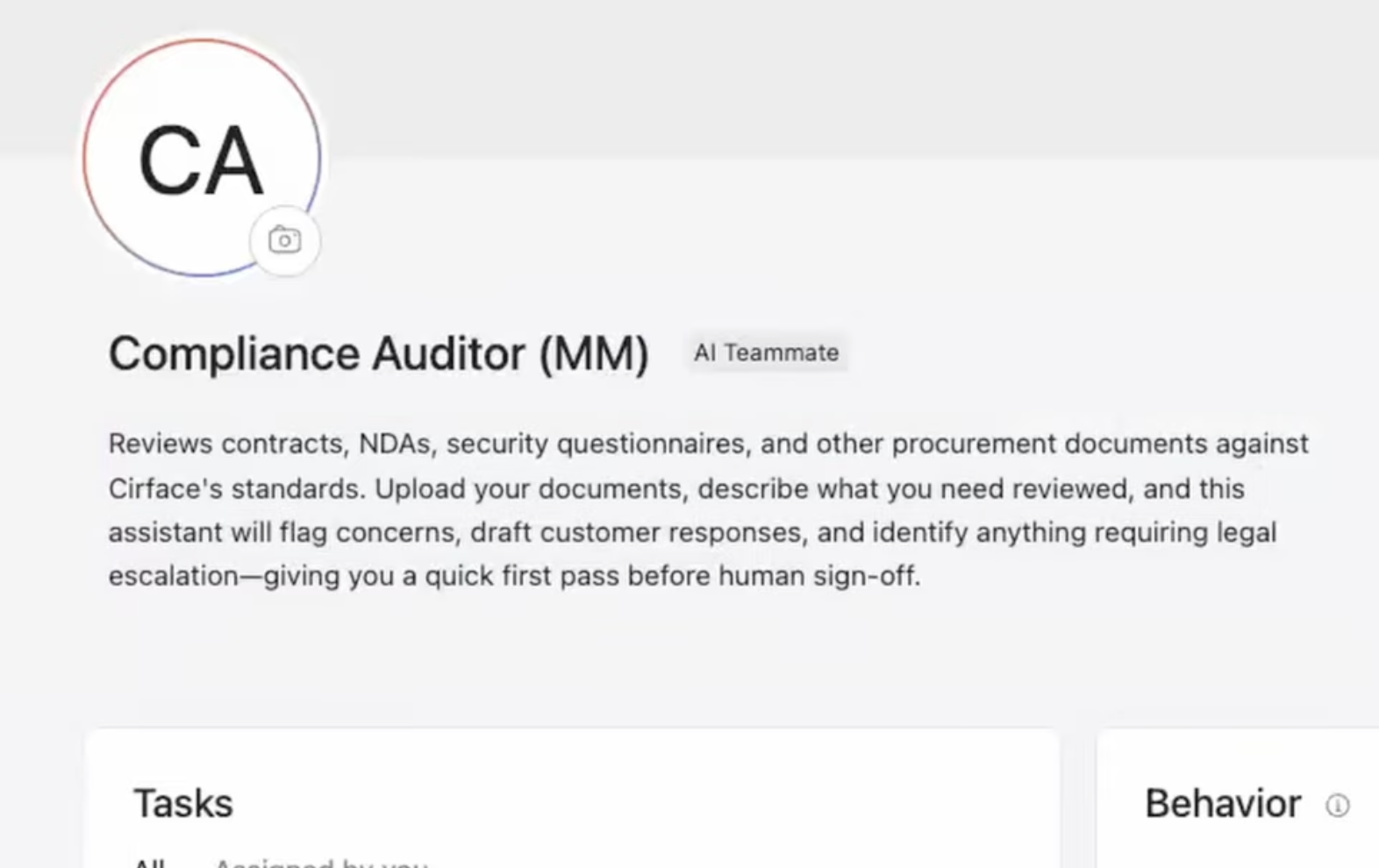
The problem: Procurement was eating us alive. Every time a prospect sends us their requirements — NDAs, security questionnaires, statements of work — someone had to manually review every document, cross-reference it against our standards, and figure out what needed legal attention. It was lengthy, expensive, and slow.
What we built: An AI Teammate called the Compliance Auditor — a clear example of AI Teammates for compliance and auditing in action. Its job is to review contracts, NDAs, security questionnaires, and other procurement documents against Cirface's standards. You upload your documents, describe what needs reviewing, and the assistant flags concerns, drafts customer responses, and identifies anything requiring legal escalation. It gives you a quick first pass before human sign-off.
How it works in practice: We've uploaded our key resources — acceptable use policy, culture code, incident response policy, security policies, draft SOW, master service agreement template, mutual NDA, corporate search report, GST/HST numbers, policy declaration, tech usage policies, and incorporation documents. When a prospect's requirements come in, we assign the task to the Compliance Auditor. It creates a plan, reviews everything against our standards, and delivers a structured summary: "This matches our usual position. This doesn't quite fit — maybe look at it. If you're okay with this, accept the change. This one should go to legal."
The impact: We get through procurement faster and feel more confident responding to prospects. We're not sending everything to our lawyer anymore — just the things that actually need legal attention.
The Sales Assistant (SOW Writer)
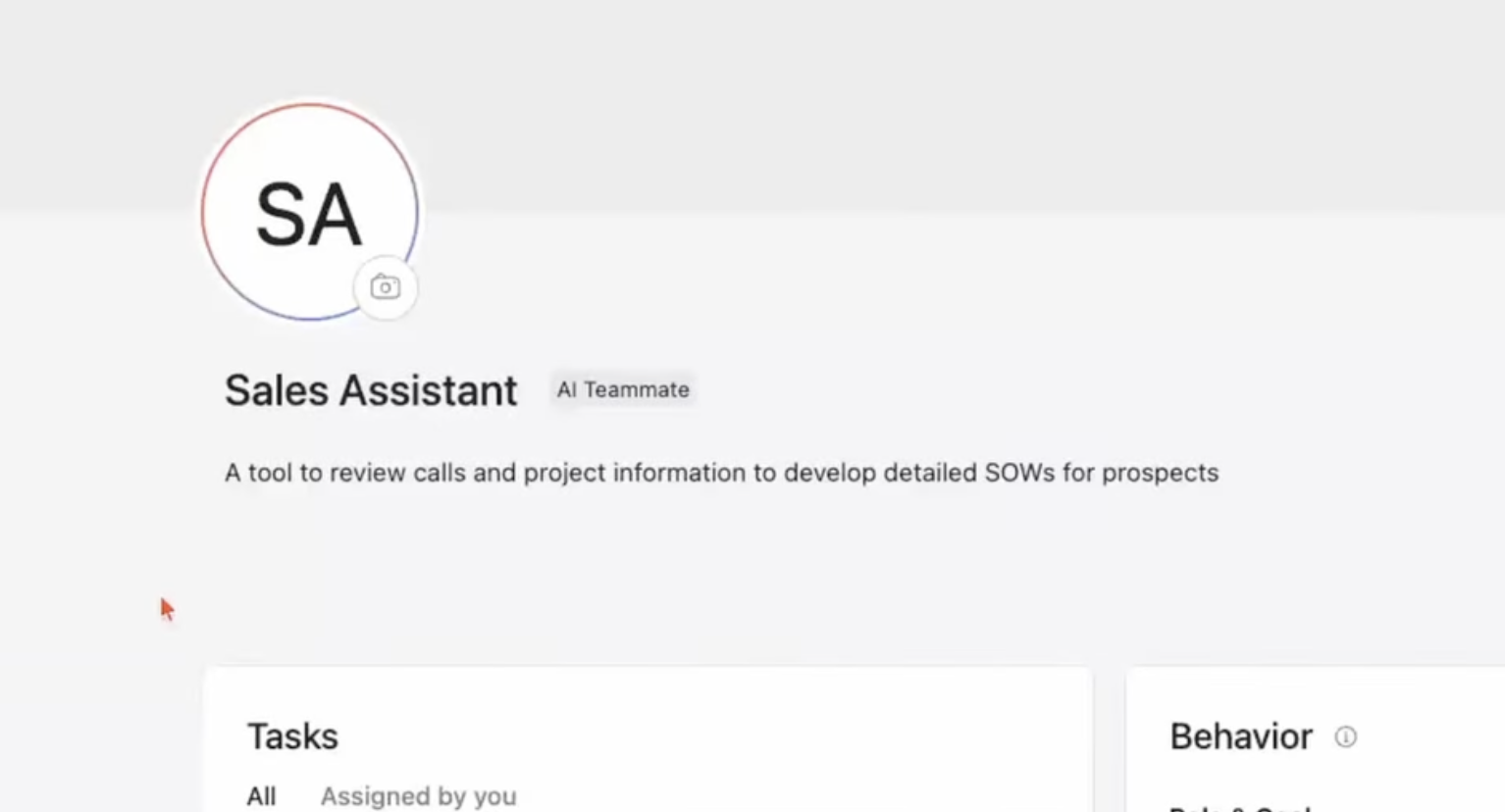
The problem: Writing statements of work is a critical but time-consuming process. Every SOW needs to follow our standard structure, reflect our service delivery methodology (we call it the 4D Workflow Optimizer), and accurately capture what was discussed across multiple sales calls. We were doing this manually with GPTs and Claude, but the context was scattered.
What we built: A Sales Assistant AI Teammate whose job is to review call transcripts and project information to develop detailed SOWs for prospects. The key insight? Moving this into Asana means everything — transcripts, documentation, requirements — lives in one place with full context.
How it works in practice: We have a project called "Sales Tasks" with an SOW Writing section. When a new prospect needs a proposal, we create a task, dump in all the call transcripts and any supporting documentation (spreadsheets, PDFs, Word docs — whatever we have), and assign it to the Sales Assistant. It drafts an SOW structure with an executive summary (under 120 words), key objectives (4-5 bullets), and deliverables broken down by service type, following our standard format.
Why this matters for the team: Standards are important, especially when you want your entire sales team using the same tool. This is AI Teammates for task automation at its most practical — the AI Teammate produces consistent output that follows our delivery methodology every time. We always have a human in the loop — once we get something we like, we move it to a Word doc and refine it further. But it cuts hours out of the initial drafting process. These kinds of automated team workflows mean the entire sales team benefits from the same quality bar without relying on one person to do all the heavy lifting.
We gave it access to previous SOWs (workflow optimization, in-person workshops, rough order of magnitude, data migration formats), our SOW template, our sales deck, and our service blueprint with all our service descriptions, timeframes, and consultant requirements.
The Video Assistant
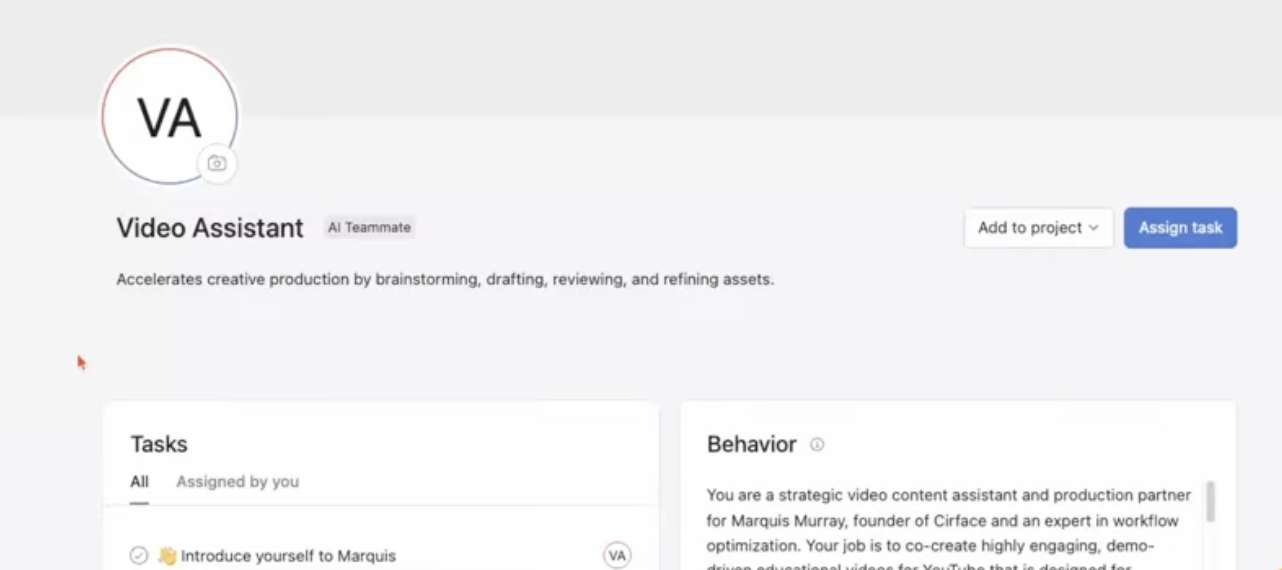
The problem: Creating content takes significant upfront work — scripts, CTAs, SEO-optimized descriptions, thumbnail concepts, and editor notes. That's a lot of planning before a single frame gets recorded.
What we built: A Video Assistant AI Teammate that serves as a strategic video content assistant and production partner. It co-creates demo-driven educational videos for YouTube, designed for enterprise business leaders looking to improve team efficiency.
How it works in practice: We give it access to our video production project, Cirface brand guidelines, our "super consumer profile" (who's most likely to watch and get value), and a marketing style document (how the founder speaks, phrases to use, phrases to avoid). When a video moves into planning, the assistant gets to work — writing camera-ready scripts, drafting A/B test titles, creating YouTube descriptions with suggested keywords and tags, and outlining thumbnail and end screen concepts aligned with our brand.
The honest assessment: One thing we'll note — it's a little slower than the instant responses you're used to from other AI tools. You might need to set it working, go do something else, and come back. But the results are stellar. The scripts genuinely sound like us, the editor notes are detailed enough for our production team to act on, and the metadata is ready to copy-paste directly into YouTube.
What Are the Known Limitations of AI Teammates?
We believe in being upfront about what works and what doesn't. Here's what we've found:
No central library for managing AI Teammates. This is probably our biggest UX frustration. There's no library or dashboard where you can see all your AI Teammates in one place. To find one, you have to search for it by name in Asana's search bar. If you named it "Sales Assistant," you search "Sales Assistant." It works, but it's not ideal — especially as you build more teammates. You'd think clicking "Teammates" in the navigation would show a "manage" or "library" option, but instead it just gives you the option to create a new one.
Key resource upload limit. There's currently a cap of approximately 11 documents you can upload as key resources for each AI Teammate. Depending on your use case, you might hit this limit quickly. You can supplement with Google Drive connections, but it's worth planning which documents are most essential.
Response time isn't instant. AI Teammates need time to think through complex tasks. If you're used to ChatGPT or Claude's near-instant responses, expect a different pace here. The tradeoff is deeper contextual understanding and better output quality.
Structured workflows produce better results. Current implementations work best with clear decision trees and well-defined processes. If your workflow is highly ambiguous or requires extensive emotional intelligence, AI Teammates will struggle. One practical approach is pairing them with human review checkpoints for complex decisions.
Beta status means evolving capabilities. AI Teammates are currently in beta (as of early 2025), with general availability expected in early 2026. Features and limitations are actively changing, so what's true today may improve tomorrow.
How Much Does Asana AI Studio Cost?
Let's talk AI Studio Asana pricing, because there's a lot of confusion around this. Here's what you need to know:
AI Studio is available across multiple Asana plans — not just Enterprise, as some sources incorrectly claim. The three tiers work like this:
AI Studio Basic: Included with Starter ($10.99/user/month), Advanced ($24.99/user/month), Enterprise, and Enterprise+ plans. Gives you access to explore AI capabilities with rate limits.
AI Studio Plus: Enhanced productivity tier with higher credit limits for teams scaling their AI workflows.
AI Studio Pro: Required for AI Teammates access (currently beta). This is the top tier for complex, multi-step AI automation. Pricing requires contacting Asana's sales team.
AI Teammates have their own credit allocation separate from existing AI Studio rules. Credit consumption varies based on the complexity and frequency of tasks you assign.
For organizations evaluating whether the investment makes sense, our recommendation is to start with one high-impact workflow, measure the time savings over 2-4 weeks, and use that data to build a business case for broader adoption. The ROI tends to be clearest when you can quantify hours saved on repetitive coordination tasks.
How Do AI Teammates Work Under the Hood?
Understanding the architecture helps you configure more effective teammates. Built within Asana AI Studio, AI Teammates represent a new approach to intelligent work management — they combine pattern recognition with contextual decision-making through a few key mechanisms:
The Work Graph connection. AI Teammates tap into Asana's Work Graph — the data model that maps every task, project, goal, and person in your organization and the relationships between them. This is what enables true Asana AI Studio workflow management: contextual decisions rather than just following scripts.
Team-wide memory. Unlike a personal AI assistant that only learns from your interactions, AI Teammates build memory from the entire team's feedback. When anyone gives the Compliance Auditor feedback about how to handle a specific contract clause, that knowledge gets applied next time — regardless of who assigned the task.
LLM flexibility. Behind the scenes, Asana works with leading language model providers, including OpenAI and Anthropic. Your data isn't used to train these partner models, and it's deleted after each interaction.
Enterprise-grade controls. You decide what AI Teammates can access, who can use them, and who can modify them. When first created, an AI Teammate can see tasks and projects public to the domain. For private work, it must be explicitly added as a project member or collaborator.
A common implementation pattern is configuring multiple AI agents Asana offers to work sequentially: one handles intake, another performs analysis, and a third manages routing to human team members. This layered approach creates resilient workflows that adapt when priorities shift.
What Are the Best Use Cases for AI Teammates?
Based on our experience and what we're seeing across the Asana ecosystem, here are the highest-impact use cases for AI Teammates for workflow optimization:
Procurement and compliance reviews — Like our Compliance Auditor. Any workflow where documents need to be reviewed against established standards is a natural fit. This extends to vendor evaluations, regulatory document review, and audit preparation.
Proposal and SOW generation — Standardizing your sales documentation process while maintaining quality. The AI handles the initial draft, humans refine and personalize.
Content production workflows — From script writing to metadata generation, AI Teammates can handle the planning and preparation stages of content creation, letting creative teams focus on execution.
Ticket triage and escalation — Support teams can deploy AI Teammates to categorize incoming requests by urgency and topic, assign them based on expertise and capacity, and escalate unresolved issues automatically.
Cross-functional project coordination — This is where creating AI Teammates for project management really shines. AI Teammates can monitor task dependencies, update stakeholders when statuses change, and flag bottlenecks before they impact timelines. One common pattern involves pairing AI Teammates with custom fields to trigger multi-step processes — when a project phase completes, the Teammate updates stakeholders, creates follow-up tasks, and schedules check-ins.
Campaign management — Marketing teams configure AI Teammates to triage campaign requests, automatically categorize submissions, and route approvals based on budget thresholds.
The general principle: start with one or two specialized agents per department, measure the efficiency gains, and expand based on results rather than creating agents for every possible scenario.
Frequently Asked Questions
Can non-technical users build AI Teammates?
Yes — this is one of the strongest aspects of the platform. AI Teammates are configured using natural language instructions, not code. If you can describe what you want the teammate to do conversationally ("When a task enters Ready for Review, check for required attachments"), you can build one. It's designed to be accessible to project managers and coordinators without technical backgrounds.
How long does it take to set up an AI Teammate?
Basic configuration takes about 30-45 minutes. But getting it to perform at its best typically requires 2-3 weeks of iteration as you observe real-world behavior, give feedback, and adjust parameters. Think of it like onboarding a new hire — there's a ramp-up period.
How many AI Teammates should a team start with?
We'd recommend starting with one or two focused on your highest-impact repetitive workflows. At Cirface, we started with the Compliance Auditor because procurement was our most time-consuming bottleneck. Once you've validated the value, expand strategically.
Can AI Teammates access documents outside of Asana?
Yes. You can connect AI Teammates to Google Drive and other integrated apps so they can reference and create documents in those platforms. Within Asana, you can upload up to approximately 11 key resource documents directly.
Do AI Teammates replace the need for AI Studio Rules?
No — they serve different purposes and most teams will use both. AI Studio Rules handle high-volume, repeatable automation (like changing a due date when a status changes). AI Teammates handle complex, context-dependent work that requires reasoning and judgment. For basic task automation Asana's AI Studio Rules are your best bet; think of Rules as your automated assembly line and Teammates as your skilled coordinators.
Is my data safe with AI Teammates?
Asana states that neither they nor their AI partners use customer data to train AI models, and AI partner data is deleted after each interaction. AI Teammates follow Asana's existing enterprise-grade controls for data access and sharing. You control what they can access and who can use them — when first created, they can see public domain content, but must be explicitly added to access private work.
What plans support AI Teammates?
AI Teammates are currently available in beta for customers on the AI Studio Pro plan. AI Studio itself is available on Starter, Advanced, Enterprise, and Enterprise+ plans in three tiers: Basic, Plus, and Pro. General availability for AI Teammates is expected in early 2026.
Can multiple people use the same AI Teammate?
Absolutely — and this is one of the key advantages over personal AI assistants. At Cirface, our entire sales team uses the same SOW Writer AI Teammate. Everyone benefits from the same standards, templates, and accumulated memory. When anyone gives feedback, it improves for everyone.
Bottom Line: Should Your Team Build AI Teammates?
If you're spending hours every week on repetitive coordination work — triage, document reviews, status updates, initial drafts — AI Teammates Asana offers are worth serious consideration. They won't replace human judgment on complex decisions, but they'll handle the groundwork that currently bogs your team down. As a tool for AI workflow automation, they're among the most capable options we've tested.
They've become essential to how we operate here at Cirface. Our Compliance Auditor cuts procurement review time significantly. Our Sales Assistant produces consistent, standards-aligned SOWs from raw call transcripts. Our Video Assistant handles the planning overhead that used to delay content production. Whether you're looking at AI Teammates for task automation, compliance reviews, or content workflows, the pattern is the same — define a clear use case, let the AI handle the repetitive parts, and keep humans in the loop for the decisions that matter.
The key to success is treating Asana AI Studio as an evolving capability, not a set-and-forget tool. Pair AI Studio rules with AI Teammates to cover both structured automation and complex knowledge work. For work automation Asana is increasingly one of the best platforms to build on — start with one focused use case, iterate based on real performance data, and expand from there. Give your teammates clear instructions, quality reference materials, and consistent feedback. The more you invest in the setup, the more you get back.
Our honest advice? Build one. Make multiple of them. Your work can be automated. Your work should be automated so that you can focus on the skilled work that only you are uniquely positioned to do.