
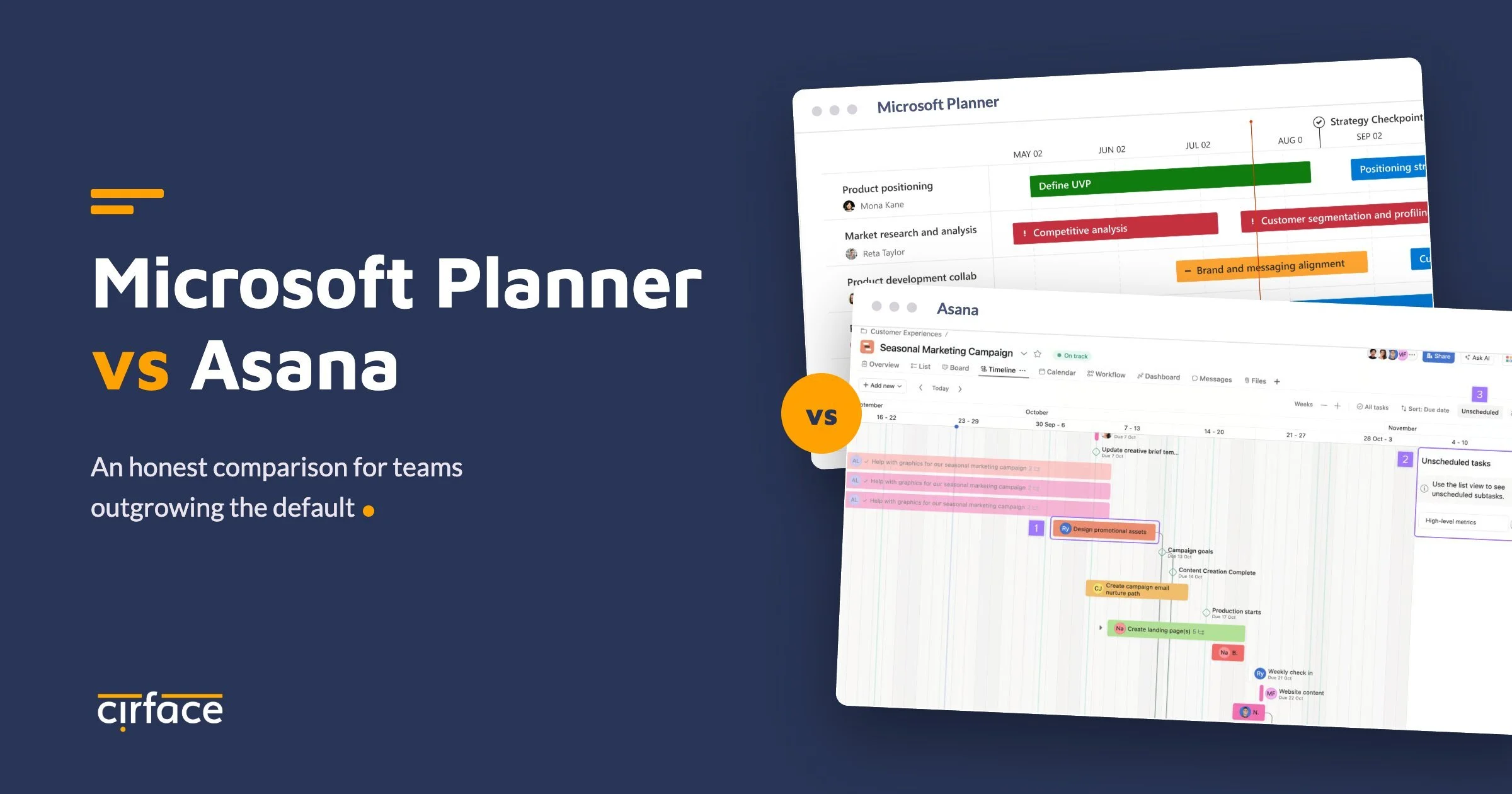
Microsoft Planner is a capable task board for small teams already working inside Microsoft 365.
Asana is a work management platform built for cross-team projects, dependencies, portfolios, and executive reporting.
The deciding factor is how much structure your work needs, and what your current tool sprawl already costs you. Harvard Business Review found that workers toggle between apps roughly 1,200 times a day and lose nearly four hours a week to reorientation, about 9% of their work time.
We write this comparison from direct experience as an Asana Platinum Solutions Partner, most recently through an engagement with one of Canada's largest transit agencies that ran Planner, Oracle Primavera P6, and Jira side by side.
One note before we start: "Microsoft Planner" now covers two products, Planner basic (free with Microsoft 365) and Planner premium (a paid upgrade built on the former Project for the web). We compare against both, because the answer changes depending on which one you mean.
Planner vs Asana at a glance
| Capability | Planner basic | Planner premium | Asana |
|---|---|---|---|
| Task dependencies | Not available | Yes, with auto-rescheduling | Yes, four dependency types |
| Gantt and timeline views | Not available | Yes | Yes |
| Portfolios and cross-project rollups | Not available | Limited | Yes, including nested portfolios |
| Dashboards and reporting | Basic per-plan charts | Per-plan reports | Project, portfolio, and universal reporting |
| Intake forms | Not available | Not available | Yes, with branching and automation |
| Rules and automation | Via Power Automate | Via Power Automate | Native rule builder |
| Custom roles and admin controls | M365 group settings | M365 group settings | Granular admin console with custom roles |
| Deleted project recovery | Permanent loss | Permanent loss | Archives retrievable, deletion recovery window |
| External guest collaboration | Limited | Limited | Unlimited free guests with scoped access |
| Cost | Included in M365 | Paid per-user licence | Paid per-user licence |
Where Microsoft Planner works well
We recommend being honest about this, because Planner earns its place in plenty of organizations. It costs nothing beyond the Microsoft 365 licences you already pay for. The learning curve is close to zero. It lives natively inside Teams, which means adoption happens without anyone announcing it. For a single team tracking straightforward tasks on a shared board, Planner basic does the job.
The 2026 update strengthened that position for simple use cases. Task chat brought threaded conversations with mentions into tasks, and custom templates let teams reuse plan layouts. Microsoft has been clear about the product's direction, and analysts covering the update read it the same way we do: Planner is being reinforced as a team-level task tool rather than a portfolio management platform.
That framing is exactly where the gaps begin. The problems appear when work crosses team boundaries, when schedules carry real dependencies, or when leadership asks what is actually going on.
Five signs your team has outgrown Planner
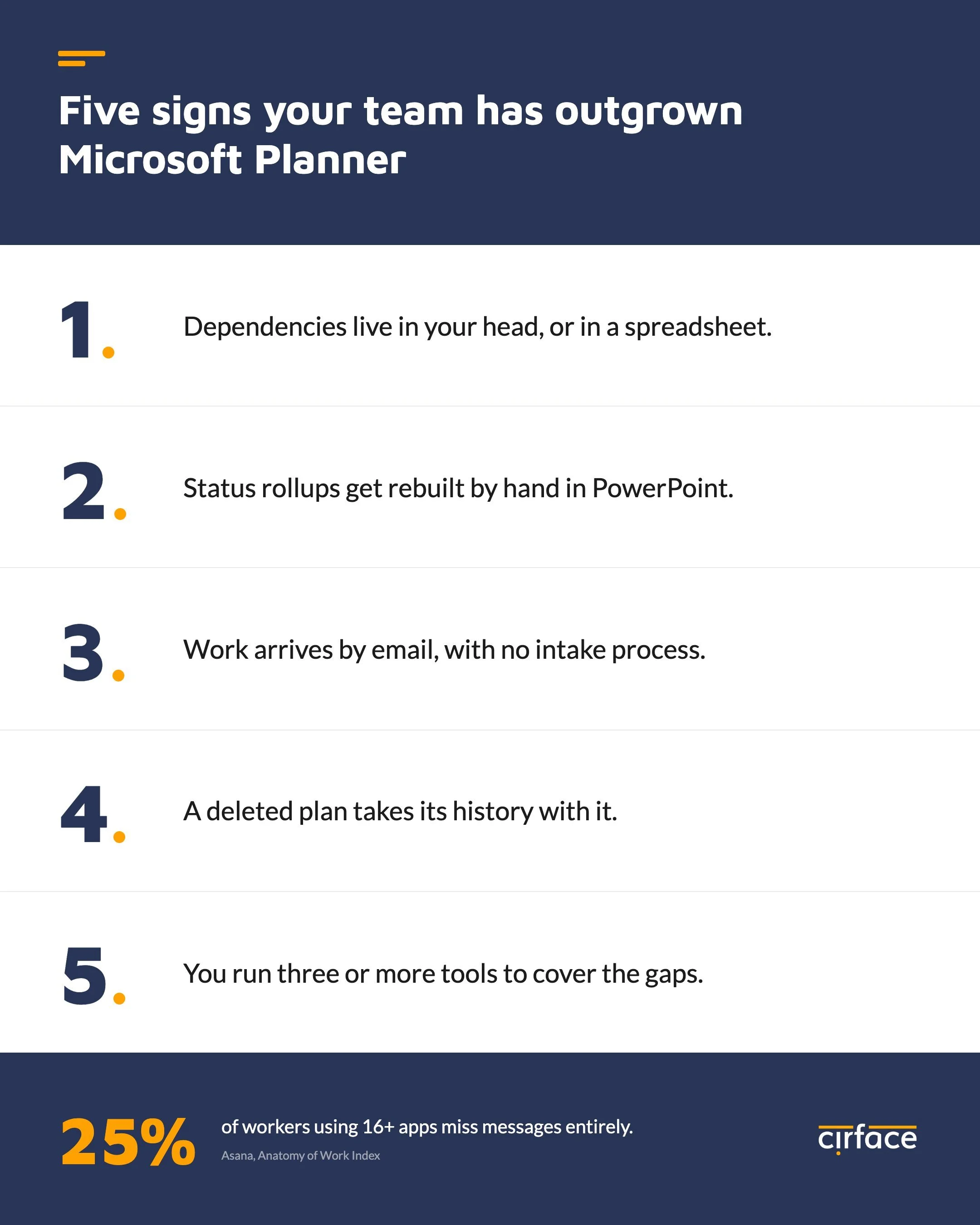
You manage dependencies in your head or in a spreadsheet. Planner basic has no dependency support at all. If task B cannot start until task A finishes, that logic lives somewhere outside the tool, and it breaks the first time a date slips quietly.
Leadership asks for status rollups and someone rebuilds them in PowerPoint. Planner has no layer above the individual plan. There is no portfolio view, no cross-plan dashboard, and no way for a director to see the health of twelve initiatives without opening twelve boards. In every enterprise engagement we run, this is the pain that triggers the evaluation.
Work arrives by email and Teams chat with no intake process. Planner has no forms. Requests land in inboxes, get retyped into tasks by hand, and arrive missing half the information needed to act on them.
A deleted plan took its history with it. Deleting a Planner plan is permanent. There is no archive and no recovery window. We have sat in discovery meetings where clients described losing months of project history this way, and it is consistently the moment IT leaders lean forward.
You run three or more tools because Planner covers only part of the work. This is the pattern we found at the transit agency mentioned above: Planner for team tasks, P6 for capital construction schedules, Jira for IT, and unsanctioned tools brought in by consultants. Each tool was locally reasonable. Together they made enterprise-wide visibility impossible, and the cost compounds with every addition. Asana's Anatomy of Work research found that 25% of workers using 16 or more apps miss messages and actions entirely, compared to just 8% of those using fewer than six.
How Planner and Asana handle dependencies and scheduling
This is the most technical difference between the platforms, and the one we spend the most time on with project managers coming from the Microsoft ecosystem.
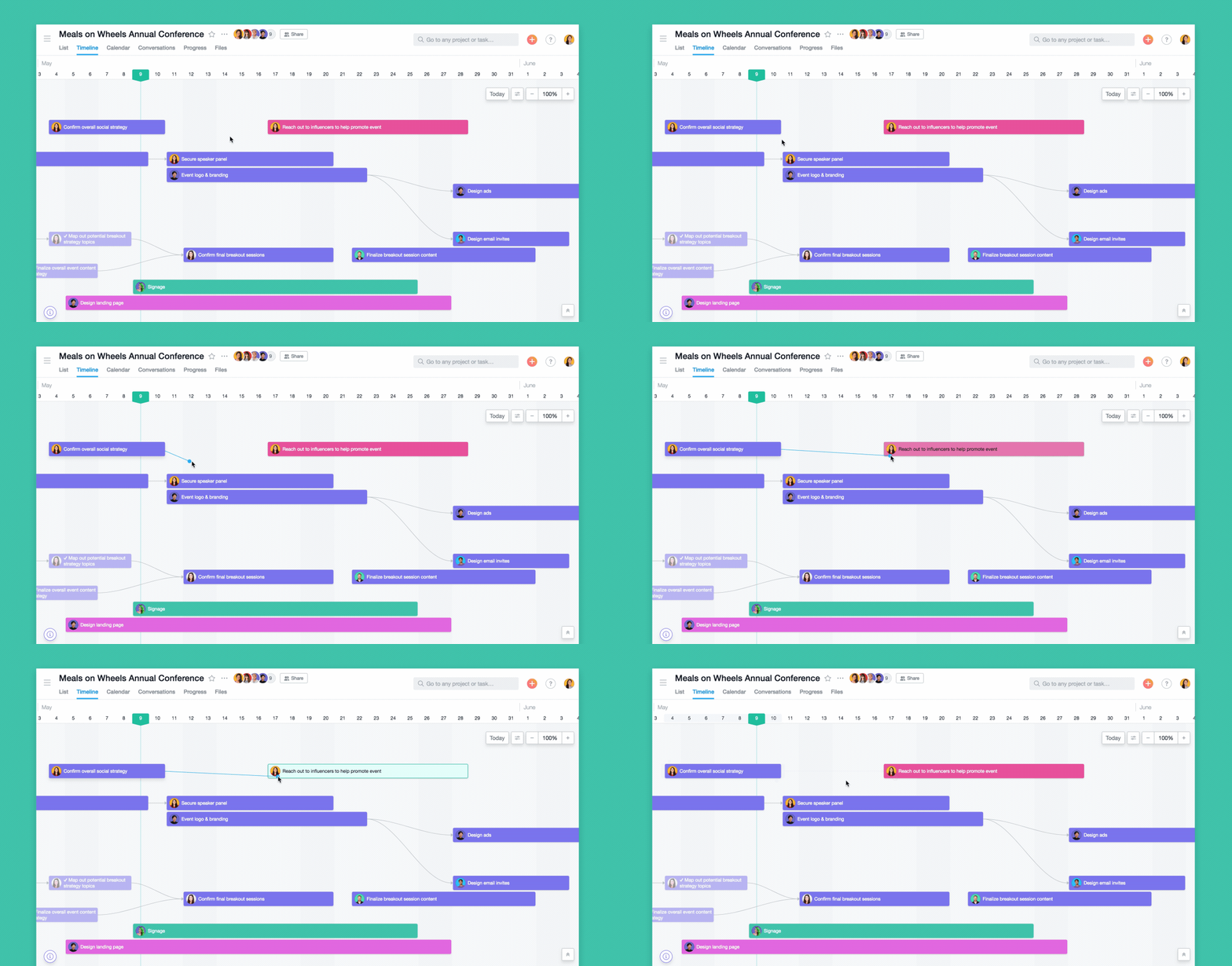
Planner basic has no dependencies. Planner premium does, and its scheduling engine automatically recalculates the dates of dependent tasks when a predecessor changes. Project managers trained on Microsoft Project tend to expect this waterfall behaviour, and premium delivers it, along with timeline views and critical path.
Asana approaches scheduling differently. It supports four dependency types (finish-to-start, start-to-start, finish-to-finish, and start-to-finish) and visualizes them in timeline and Gantt views. When a predecessor's date shifts, Asana preserves the buffer between linked tasks rather than forcing a full cascade. For most cross-functional work this is the behaviour teams actually want, because a one-day slip on one task should not silently rewrite forty downstream dates without anyone reviewing the change.
For teams that genuinely need strict sequential enforcement, we build it with Asana's rule engine. In our enterprise implementations we have configured rules that flag or revert date changes that would violate a dependency chain, and project templates with relative dates that recalculate an entire plan from a single start date. The honest summary: premium wins on out-of-the-box waterfall recalculation, Asana wins on flexibility and on everything surrounding the schedule. Teams with heavy waterfall requirements, including percent complete and baseline variance tracking, should read our companion guide on migrating from Microsoft Project to Asana, where we cover the custom formula fields we build to replicate those metrics.
Reporting, portfolios, and executive visibility
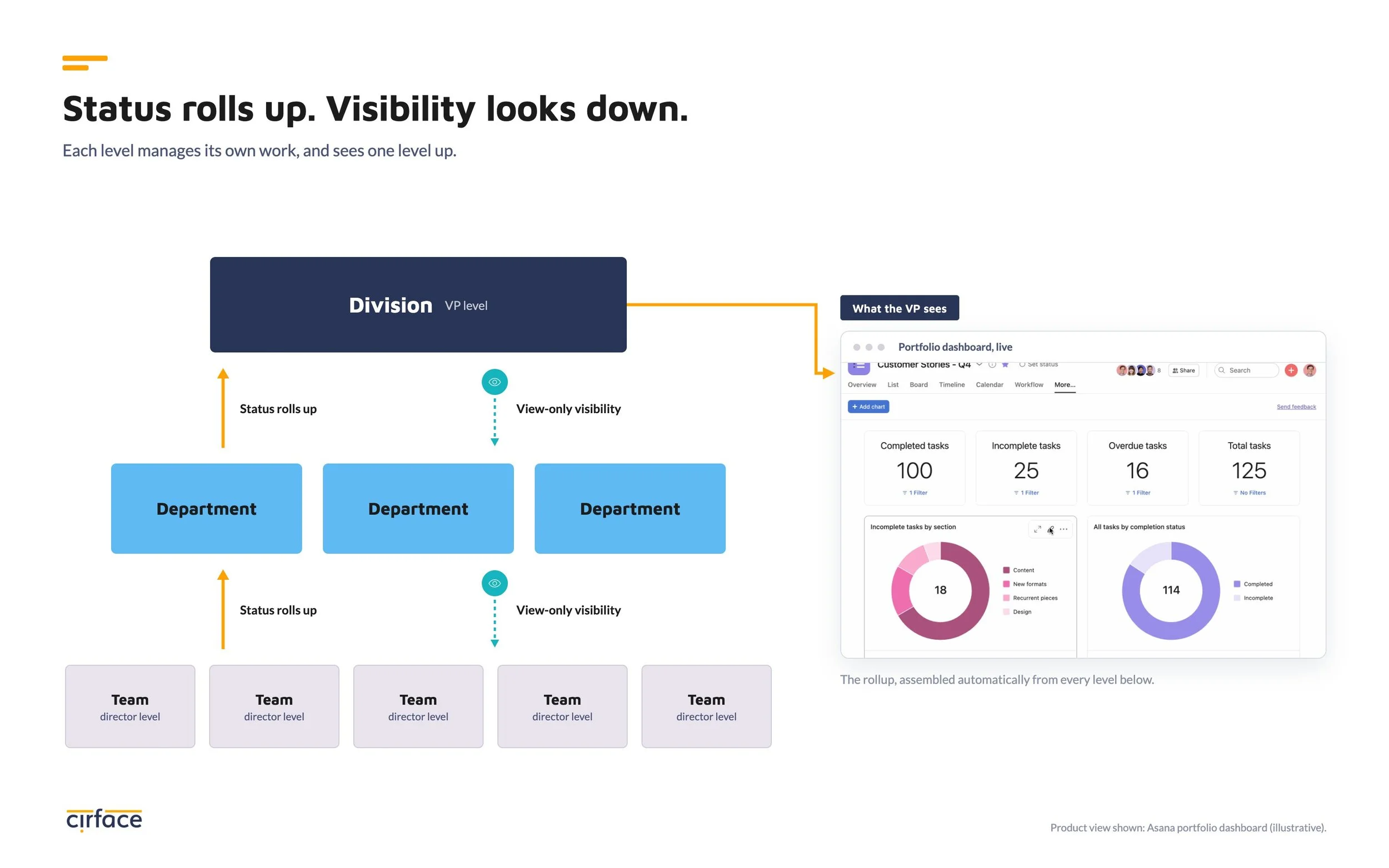
Here the comparison stops being close. Planner's reporting ends at the individual plan. Asana provides three levels: project dashboards, portfolio dashboards, and universal reporting across the entire organization.
Portfolios are the structural difference that matters most at enterprise scale. In Asana, projects roll up into portfolios, and portfolios nest inside other portfolios, which lets an organization mirror its actual hierarchy. At the transit agency, we designed a three-layer structure with teams at the director level, departments above them, and divisions at the executive level, connected by cascading view-only access. Managers saw their own boards, directors saw rollups across their teams, and executives saw portfolio health without wading through task-level noise. Nothing in the Planner ecosystem supports that model without exporting everything to Power BI and maintaining the plumbing yourself.
Governance, recovery, and what happens when someone deletes a project
Two contrasts consistently decide evaluations for IT and compliance audiences.
The first is recovery. A deleted Planner plan is gone permanently. In Asana, archived projects are always retrievable, deleted projects can be recovered within a support window, and every action is logged in an audit trail. We recommend a two-admin standard on important projects as an added safeguard: when one admin deletes a project, the other is notified and can act inside the recovery window.
The second is administrative control. Asana's admin console supports custom roles with granular permissions, domain whitelisting for guest invitations, approval workflows for third-party app integrations, token expiry management for service accounts, and security settings that can restrict features organization-wide. When we implement Asana for security-conscious clients, including public sector organizations with strict compliance requirements, these controls are what allow the platform to pass review by cyber security teams. Planner inherits its governance from Microsoft 365 group settings, which were never designed to manage project-level permissions.
The Microsoft 365 question: do you lose your integrations?
This is the objection we hear in every evaluation, so we will answer it directly. Moving from Planner to Asana does not mean leaving the Microsoft stack.
Asana's Microsoft integrations are among its most developed. The Teams integration supports inbox notifications, embedded project views, and task creation from conversations. The Outlook integration handles task creation from email and calendar synchronization. These are native, two-way integrations managed through the admin console, where administrators can review, approve, or block any connected app. In our implementations at Microsoft-first organizations, teams keep working inside Teams and Outlook while the work itself gains the structure Planner could not provide.
What a Planner to Asana migration actually involves
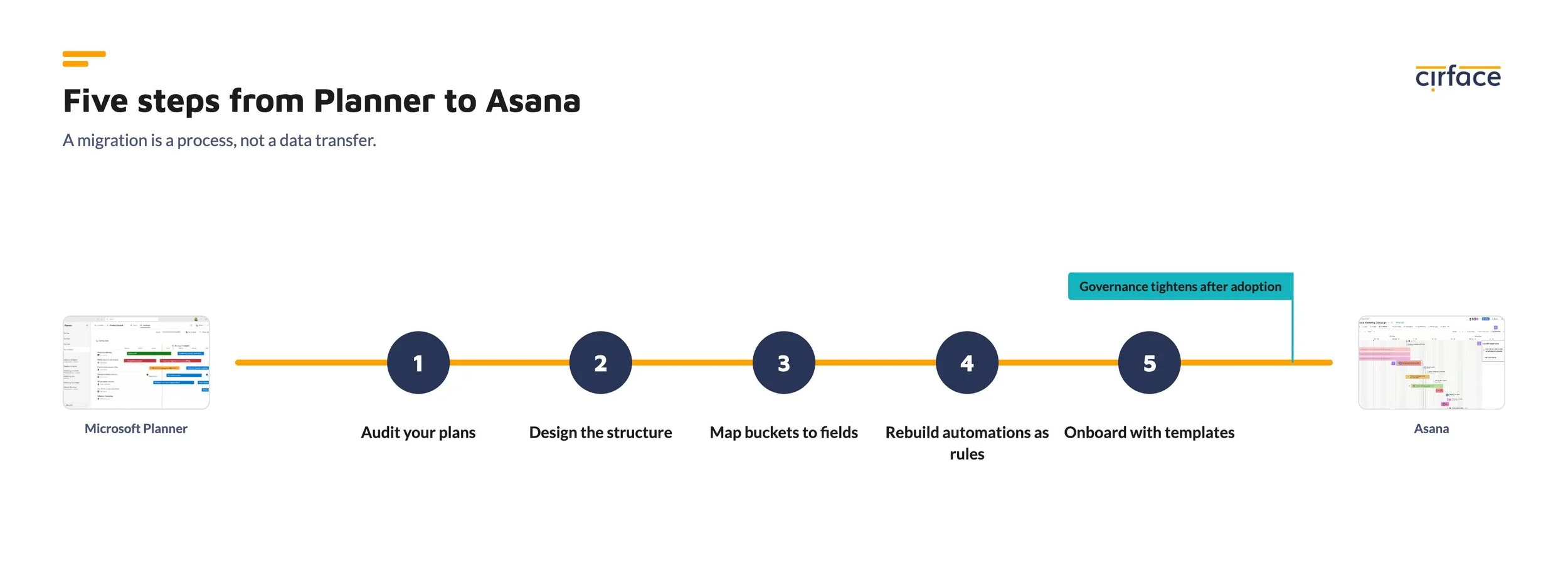
A migration is a structure project, not a data transfer. Based on the enterprise migrations we have led, the sequence looks like this:
Audit your plans. Inventory active plans, owners, and the workarounds surrounding them. The workarounds are the requirements document.
Design the structure before importing anything. Decide your team and portfolio hierarchy first. Importing plans into an unstructured workspace recreates the sprawl you are leaving.
Map buckets and labels to sections and custom fields. Planner's buckets become Asana sections. Labels usually become single-select custom fields, which then power reporting that Planner never offered.
Rebuild automations as native rules. Power Automate flows translate into Asana's rule builder, and in our experience most come out simpler.
Onboard with templates, not blank projects. We provision each team with pre-built project templates, custom field bundles, and portfolio structure on day one. At the transit agency, this adoption-first approach let us map nearly twenty teams for onboarding on an aggressive timeline, with governance tightened after adoption took hold rather than before it could.
If you are also consolidating from Smartsheet, Monday.com, or Microsoft Project, our data migration services cover the full picture.
Pricing: free is only free until it costs you
Planner basic's price is genuinely a point in its favour, and for a five-person team with simple boards, the mathematics ends there.
At scale, the comparison changes. Planner premium requires a paid per-user licence, which erases the free advantage the moment you need dependencies or timelines. And Planner basic's true cost shows up in workarounds: hours spent rebuilding status reports by hand, duplicate tools purchased to cover the gaps, shadow spreadsheets tracking what the tool cannot, and project history lost to unrecoverable deletions. We recommend evaluating total cost of coordination rather than licence line items. In that frame, a platform that consolidates three tools into one frequently costs less than the free option it replaces.
How a major Canadian transit agency consolidated its tools
One of Canada's largest transit agencies came to us running Planner, Oracle Primavera P6, and Jira across semi-autonomous divisions, with additional unsanctioned tools brought in by contractors. Enterprise-wide visibility did not exist, and their newly formed enterprise PMO had no platform to standardize on.
We led the implementation on Asana: a three-layer organizational structure, nested portfolios with cascading view-only access for leadership, custom field bundles that replicated the waterfall metrics their construction teams required, and a governance model that satisfied a public sector cyber security review. Nearly twenty teams were mapped for standardized onboarding, and the engagement transitioned into ongoing support with the client's team trained to run the platform themselves. Their senior business analyst estimated they could now build new approval workflows in under a day.
Frequently asked questions
Is Microsoft Planner good enough for project management?
Planner basic works well for a single team tracking straightforward tasks on a board. It lacks dependencies, portfolio reporting, intake forms, and granular permissions, so teams managing cross-functional projects or reporting to leadership typically outgrow it. Planner premium adds scheduling features but remains a plan-level tool.
Can Asana replace Microsoft Planner?
Yes. Asana covers everything Planner does and adds dependencies, Gantt and timeline views, nested portfolios, dashboards, forms, native automation, and enterprise admin controls. Organizations running Planner alongside other tools often consolidate onto Asana to create a single source of truth.
Does Asana integrate with Microsoft Teams and Outlook?
Yes. Asana has native two-way integrations with Microsoft Teams, Outlook, and the Office 365 ecosystem, including inbox notifications, embedded project views inside Teams, task creation from email, and calendar sync. Moving from Planner to Asana does not mean leaving the Microsoft stack.
Does Microsoft Planner have task dependencies?
Planner basic does not support dependencies. Planner premium, built on the former Project for the web, supports dependencies with automatic rescheduling and requires a paid licence. Asana supports four dependency types on its standard paid plans and can enforce strict sequential scheduling through rules.
What happens if someone deletes a project in Planner vs Asana?
A deleted Planner plan is permanently lost. In Asana, archived projects are always retrievable, deleted projects can be recovered within a support window, and every action is logged for auditing. This difference matters most to IT and compliance teams.
How do you migrate from Microsoft Planner to Asana?
A typical migration audits existing plans, designs the team and portfolio structure, maps buckets and labels to Asana sections and custom fields, rebuilds automations as rules, and onboards teams with pre-built templates. Implementation partners such as Cirface handle the structural design so teams start with working templates rather than blank projects.
Is Asana more expensive than Microsoft Planner?
Planner basic is included in most Microsoft 365 plans, so its licence cost is effectively zero, while Planner premium and Asana are both paid per user. The fair comparison weighs licence fees against the cost of manual reporting, duplicate tools, and lost work that accumulate when a tool cannot support your workflows.
Planner is the right tool for small teams with simple boards and no reporting needs above the plan level. Asana is the right platform when work crosses teams, schedules carry dependencies, and leadership needs visibility without manual rollups. If your organization is somewhere between those two descriptions, that tension is the signal.
We help enterprises audit their current tool stack, design the right structure, and migrate without losing history or momentum. Book a call with our team to map your path, or [download our migration guide] if you are earlier in the evaluation.