
Monday vs Asana: Why Scaling Teams Move, and How the Migration Actually Works
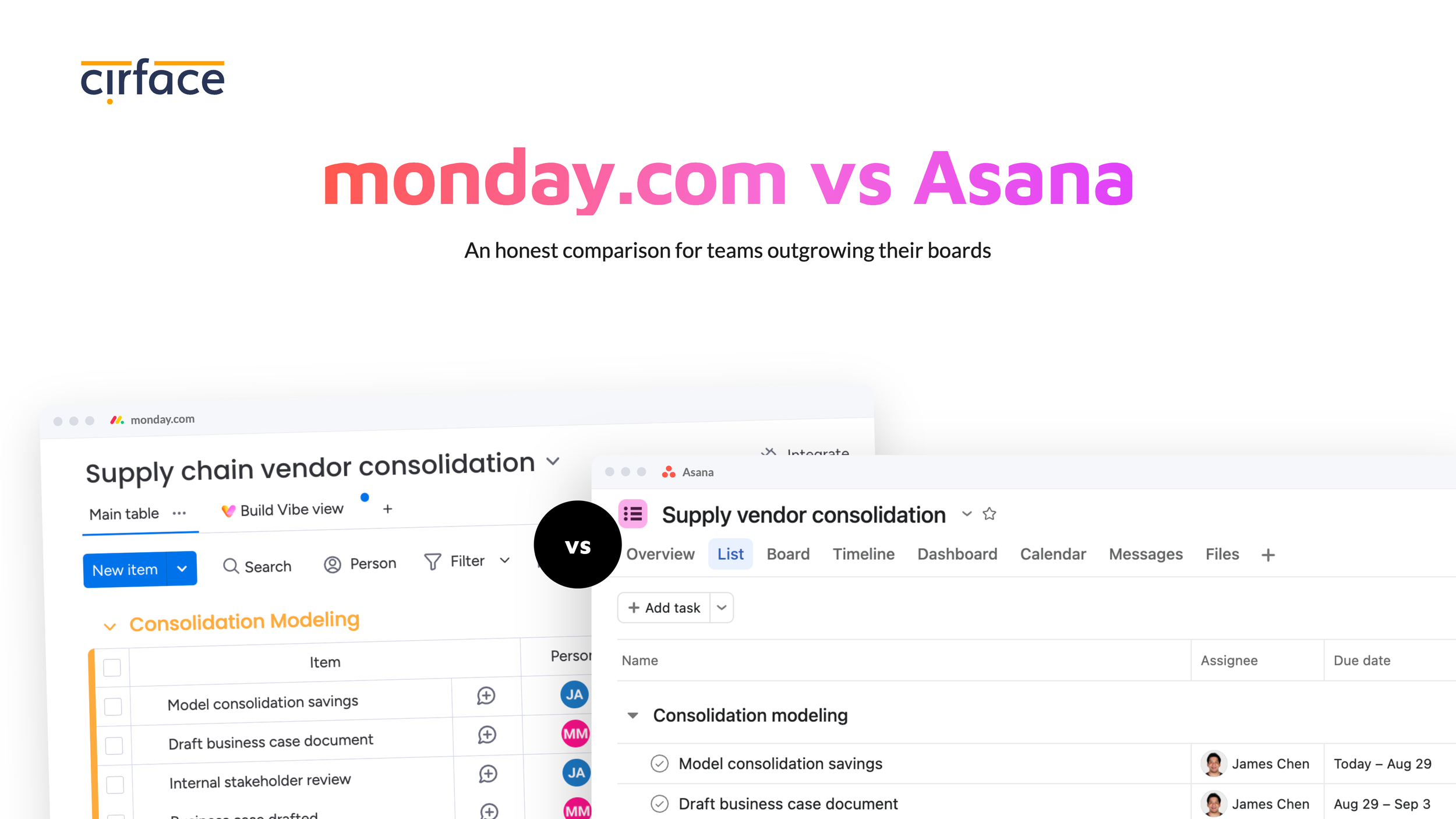
If you are choosing a work management tool for the first time, or your team still runs on a mix of spreadsheets, email threads, and chat messages, monday.com and Asana will both show up early in your research. They will also look remarkably similar in a demo. Boards, timelines, automations, dashboards, AI. On a feature checklist, it is hard to tell them apart.
They are not the same underneath, and the difference only becomes visible once your work outgrows a single team.
This is an honest comparison of where each platform is stronger, what each one gates behind which plan, and what a real migration from monday.com to Asana involves.
Monday vs Asana at a glance
| Area | monday.com | Asana |
|---|---|---|
| Data model | Container. An item lives on one board | Work Graph. A task can live in many projects at once |
| Grouping projects | Portfolio solution, Enterprise plan | Portfolios, nestable, Advanced plan |
| Goals and OKRs | No built-in goal object. Board, marketplace app, or external tool | Asana Goals with sub-goals and automatic progress roll-up |
| Depth inside a project | Up to four levels of subitems, newly created boards only | Up to five levels of subtasks, any project |
| Connecting work across projects | Connect boards plus mirror columns, 10,000-link limit per board | Multi-homing, built into the data model |
| Dependencies | Pro. Across project boards, Enterprise | Starter |
| Dashboards | Capped by plan: 1, 1, 5, 20, 50 boards. Enterprise unlocks the All Projects Dashboard for up to 200 project boards | Project, portfolio, and universal reporting. No cap on source data |
| Capacity planning | Workload view on Pro. Resource planner and Capacity manager on Enterprise | Workload on Advanced. Capacity Planning on Enterprise |
| Time tracking | Timer column on Pro. No approvals, billable rates, or budgets | Estimated and actual time built in. Timesheets and Budgets add-on at $5.99/user adds approvals, rates, and budgets |
| Automation actions | 250 per month on Standard, 25,000 on Pro, 250,000 on Enterprise | Unlimited on Starter and Advanced |
| AI access | Trial credits on paid tiers, then a paid credits add-on | AI Studio Basic credits included on every paid tier, then AI Studio Plus or Pro |
| Entry price | Basic at $9/seat billed annually, $12 monthly | Starter at $10.99/seat billed annually, $13.49 monthly |
| Published price for portfolio features | No. Enterprise is quote-only | Yes. Advanced at $24.99/seat |

Should you move from Monday to Asana?
If your team runs a handful of boards, works mostly inside one department, and your reporting need requires basic project status updates, then monday.com is doing its job and you should stay.
Start looking seriously if you recognize three or more of these.
Your dashboards have hit a ceiling. monday.com caps how many boards a single dashboard can pull from, and the cap is tied to your plan. Free and Basic get one board. Standard gets five. Pro gets twenty. Enterprise gets fifty. Once you outgrow your tier, the fix is a plan upgrade rather than a configuration change.
You maintain a web of connect board and mirror columns. They work, but the relationship is something you build and maintain rather than something the platform understands on its own. monday.com limits linked items to ten thousand per board and caps you at sixty connect board columns. Mirror columns are calculated rather than stored, so the API cannot update or clear them, mirrored content cannot be filtered, and they do not reliably fire automations. The data you assembled for visibility cannot drive your workflows.
You cannot tie goals to the work underneath them. monday.com has no native goal object. Their own OKR documentation walks you through building a board with columns for each key result. That works as a tracker. It does not roll up automatically from the projects that are supposed to be moving those numbers.
The features you actually need turned out to be two upgrades away. Dependencies and the Workload view arrive on Pro. But linking tasks across project boards, the portfolio solution, and the resource planning tools that work at portfolio level are all Enterprise, which has no published price.
You are watching an automation counter instead of building workflows. To be clear, this is standard automations, the if this then that recipes, not AI. monday.com meters automation actions and integration actions as two separate monthly allowances, 250 of each on Standard and 25,000 of each on Pro. Volume grows every time you add a team, a board, or a step to a recipe, so it is a limit you grow into rather than one you choose.
What monday.com is and where it shines
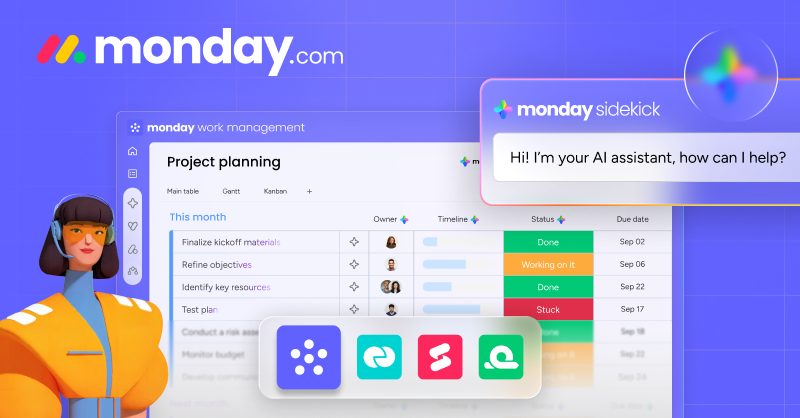
monday.com is the most immediately usable platform in this category, and G2 backs that up across every usability measure. It leads Asana on ease of use at 9.1 against 8.6, ease of setup at 8.8 against 8.6, ease of admin at 9.0 against 8.7, meets requirements at 9.0 against 8.7, and quality of support at 8.9 against 8.5. Overall it holds 4.7 out of 5 from more than seventeen thousand reviews, where Asana sits at 4.4 from close to fourteen thousand.
That is a clean sweep on usability and it reflects something real. monday.com gets a team from nothing to a working board quickly, and adoption is where most rollouts actually fail.
It is also more visually flexible. The column library is deeper, the board views are more varied, and teams who want to shape the interface to match exactly how they think will find more room to do it. Automation recipes are genuinely good and easy to reason about.
The entry price is a little lower. monday.com Basic is nine dollars per seat per month billed annually, or twelve billed monthly. Asana Starter is ten ninety nine billed annually, or thirteen forty nine billed monthly.
One thing worth clarifying, because it causes confusion in evaluations. The product we are comparing here is monday work management, which monday.com now brands as the monday AI work platform. Alongside it, monday.com sells monday CRM, monday dev, and monday service as separate products with their own plans and pricing. Asana is heading in a similar direction, with Asana Client Management, Asana Service Management, and Command by Asana all listed as coming soon. If what you need is a sales pipeline or an IT ticket queue rather than project delivery, those are worth looking at on their own terms, but they are not what you get when you buy work management.
monday.com has also closed some real gaps recently. Multiple levels of subitems shipped, giving you up to four levels of hierarchy on a board, along with rollup columns that calculate values from child items. Worth knowing the fine print: this only works on newly created boards, there is no direct migration path from existing boards, and their community reports that the nesting cannot be automated past the first level.
What Asana is, and why scaling teams move there
Asana was built on a different data model, and almost every meaningful difference in this comparison traces back to that one decision.
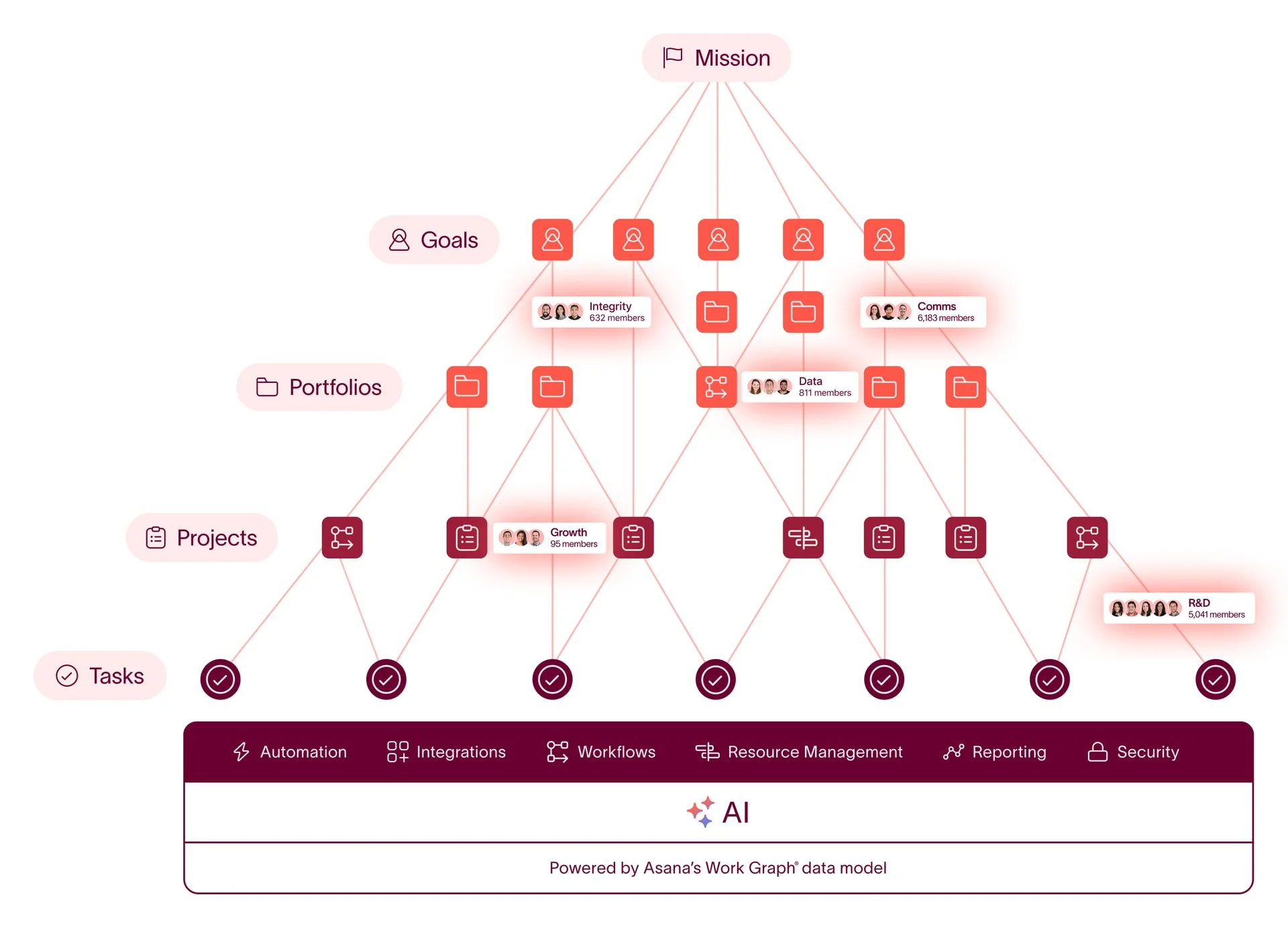
Asana calls it the Work Graph. The distinction they draw is between a container model and a graph. In a container model, a unit of work lives in exactly one place. A card belongs to a board. A file belongs to a folder. It is simple to build and simple to understand, and it starts to strain the moment work becomes cross functional, because real work belongs to several contexts at once.
The Work Graph allows any piece of work to have a one to many relationship. A single task can live in the design team's sprint project, the product launch project, and the marketing campaign project at the same time. Not three copies kept in sync. One task, appearing in three places, updating everywhere at once. Asana calls this multi homing, and it applies at both levels: tasks multi home into multiple projects, and projects multi home into multiple portfolios. That is how one project can roll up to both a departmental portfolio and a company wide initiative without being duplicated.
monday.com is a container model. An item belongs to one board. Making it visible elsewhere means building a connect boards relationship and mirroring the columns you want to see. Automation recipes can create those links for you, but the relationship is still a thing you designed, and it stays your responsibility as the structure changes.
That is the whole argument in one sentence: in Asana, structure is part of the data model. In monday.com, structure is something you build on top and then maintain.
Where Asana pulls ahead, and why it matters
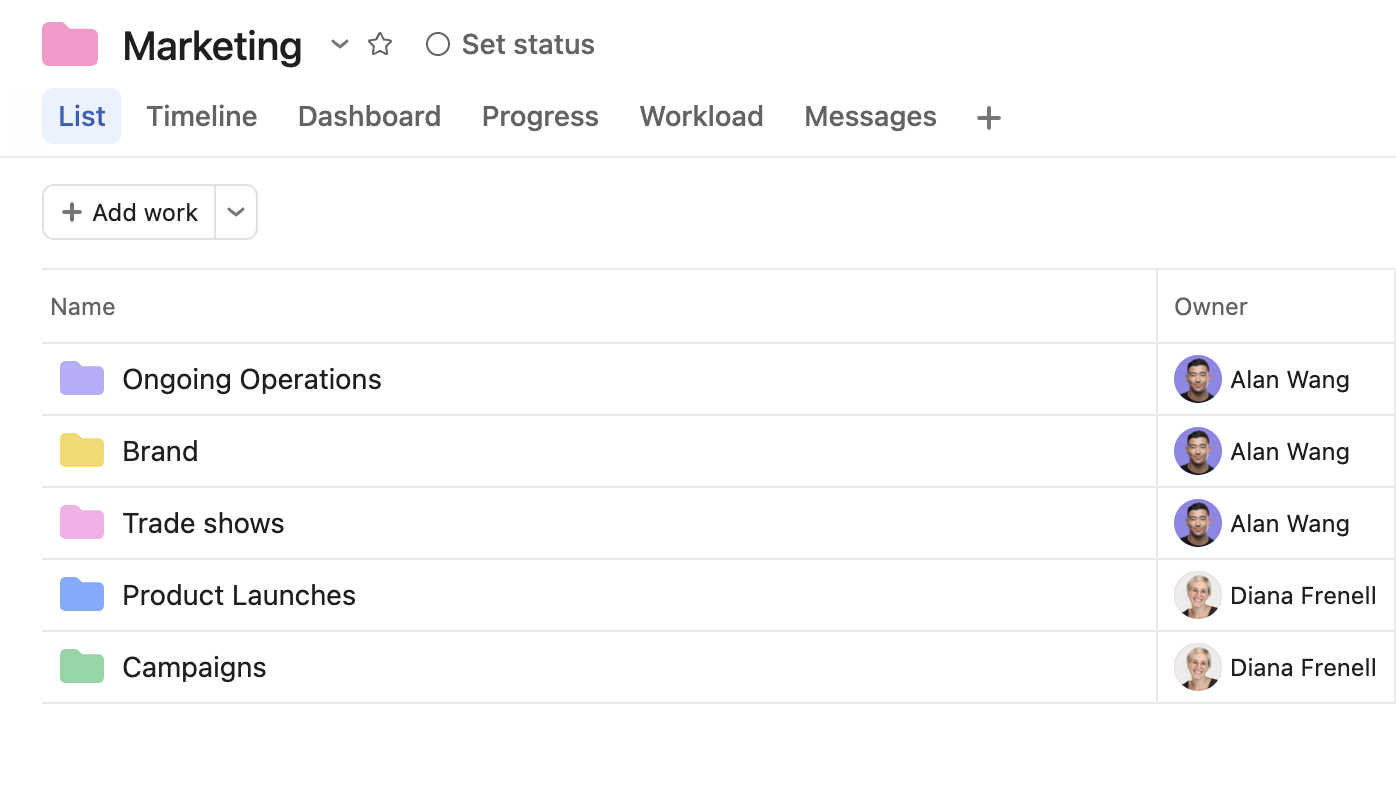
Portfolios and project grouping. Asana portfolios group projects and can nest inside other portfolios, so you can model a real organization: In your Asana org, you can set up department portfolios containing program portfolios containing projects. Status, timelines, owners, and custom field values roll up automatically. Portfolios are included in Asana Advanced. Monday.com's portfolio solution does exist and the All Projects Dashboard can pull from up to two hundred project boards, which is generous, but it sits on the Enterprise plan.
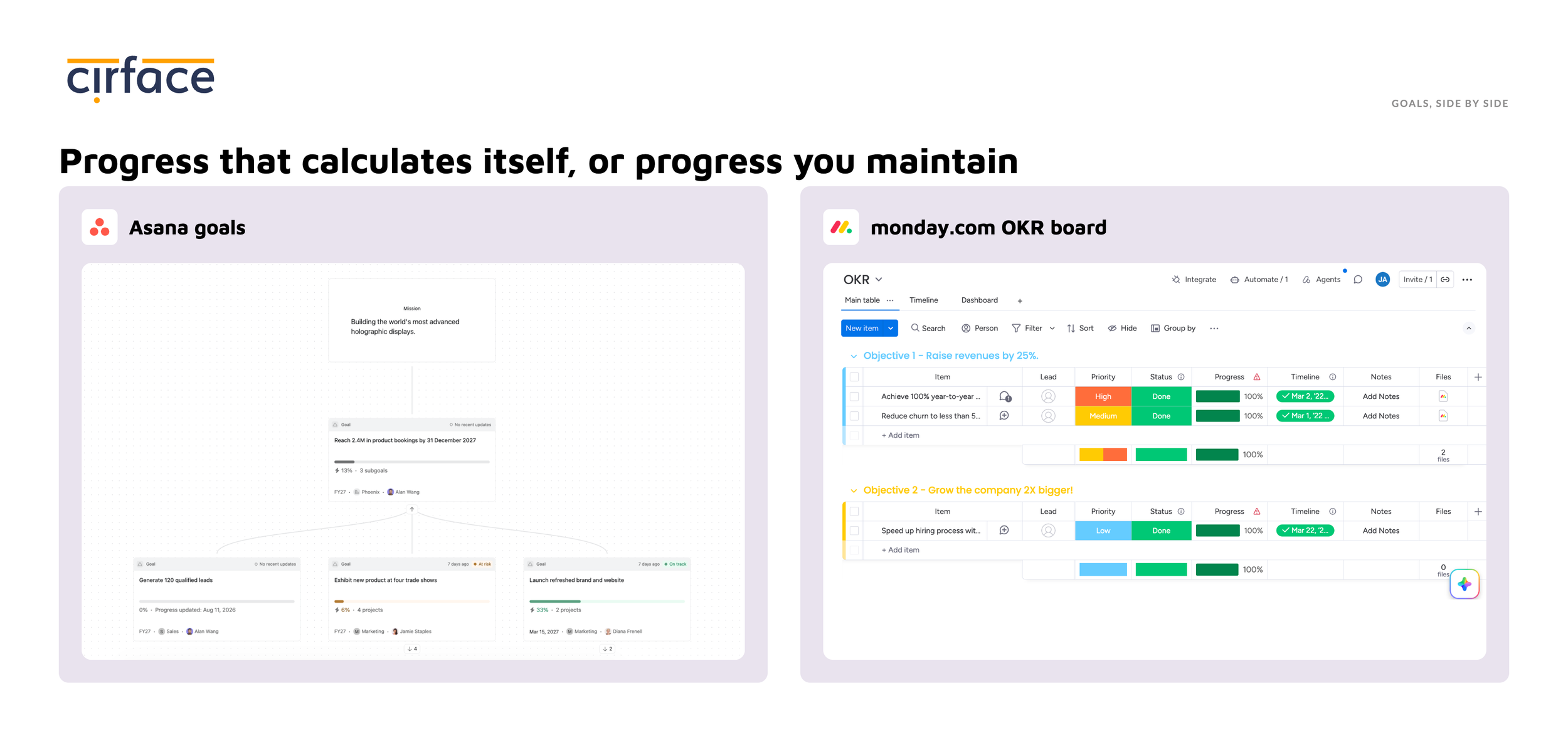
Goals connected to the work that moves them. This is the clearest functional gap. Asana Goals is a first class object with sub goals, owners, and time periods, and progress calculates automatically from connected projects and sub goals. You can also attach portfolios to a goal as related work, though those do not drive the progress figure. When a connected project advances, the goal above it moves without anyone updating a number. In monday.com, goals are a board you build, or a marketplace app such as Oboard, or an external tool like Viva Goals wired in through an integration. Teams that care about strategy execution feel this difference within a month.
Dependencies across projects. Asana includes task dependencies from the Starter plan. monday.com puts basic dependencies on Pro, and dependencies that span multiple project boards on Enterprise. If your delivery risk lives in handoffs between teams, that gate matters.
Reporting at three levels. Because Asana's reporting draws on the Work Graph, you can build a dashboard at project level for one team's work, at portfolio level for a group of projects, or use Universal Reporting to pull data from anywhere in the organisation into a single view. You are not connecting sources one at a time, and there is no per plan ceiling on how much you can include. In monday.com, dashboards are assembled from specific boards and capped by plan, from one board on Basic up to fifty on Enterprise.
Approvals and proofing at the same tier as portfolios. Asana Advanced bundles approvals and proofing alongside goals and portfolios. In monday.com, time tracking and formula columns are Pro, and portfolio and resource management are Enterprise, so getting the full picture means climbing two tiers.
Time tracking and timesheets
Both platforms track time. They are not trying to do the same job with it, and that difference matters most to agencies, consultancies, and anyone who bills clients.
monday.com gives you a timer. The Time Tracking column adds a start and stop button to every item on a board, with manual entry for the times somebody forgets, and a log of every interval that can be edited or deleted. It is available on Pro and Enterprise only, so Free, Basic, and Standard teams cannot use it at all. You can add it to subitems, but it has to be added separately for each subitem group rather than inheriting from the parent board.
Where teams run into limits is everything that happens after the timer stops. There is no billable and non billable classification, so separating client work from internal work means tagging by hand or bringing in an app. There is no timesheet approval workflow, so a manager cannot review and sign off a week of hours before it feeds into payroll or an invoice. And the reporting shows hours by item and by person without applying rates or calculating cost, which is why the common workaround is exporting to a spreadsheet. A healthy marketplace of apps exists precisely to fill these gaps.
Asana sells a system rather than a timer. Estimated time and actual time are built in, and the Timesheets and Budgets add on turns that into a weekly timesheet people fill in per project, with billable and non billable status, time categories, and the option to lock past entries.
The approval layer is the part monday.com has no equivalent for. You choose a simple draft and submit flow or a full draft, submit, approve, and reject process, and you assign specific people as time reviewers who get notified when a timesheet lands and can check entries against the projects and notes before approving.
Budgets close the loop. You can budget a project by cost or by hours, set rate cards and per project user rates, then compare estimated against actual across projects.
The honest comparison. Asana's version is an add on at five ninety nine per user per month billed annually, so it is a real extra cost rather than something included. But it is available on Starter and Advanced as well as Enterprise, so you do not need an enterprise plan to get it. monday.com's time tracking is included once you reach Pro, and if all you need is hours logged against tasks it does that fine. If you need approvals, billable rates, and budgets that update as people log time, monday.com will send you to the marketplace and Asana will not.
If you want the detail on how the Asana add on works in practice, we wrote it up separately: Asana Timesheets and Budgets, how the add on works.
The plan question: what is included, and what is gated
This is where the buying experience diverges most, and it is worth being precise rather than dramatic.
Both platforms gate features by tier. The real difference is which tier holds the features a scaling team actually needs, and whether that tier has a price you can read.
In monday.com, the strategic layer is Enterprise. The portfolio solution, the All Projects Dashboard, AI risk insights, dependencies across project boards, the Resource Directory, the Resource planner, the Capacity manager, managed templates, the workflow builder, and the pivot table all sit there together. Enterprise pricing is a sales conversation with no public number.
In Asana, that same layer is Advanced, at $24.99 per user per month billed annually, published. Goals, unlimited portfolios, portfolio workload, time tracking, approvals, proofing, branching forms, and the Salesforce, Tableau, and Power BI connectors are all inside it.
Practically, that means a two hundred person company that needs portfolio roll up, goals, and workload can price Asana from a web page this afternoon. Pricing the equivalent in monday.com requires a quote. That is the honest version of paying for what you are getting: not that monday.com hides anything, but that the visibility layer scaling teams are shopping for sits behind the one tier without a number on it.
The seat maths nobody shows you on the pricing page
The per seat number is only half of what you pay. The other half is how many seats you are allowed to buy.
Every paid monday.com plan carries a three seat minimum, and above that floor seats are sold in blocks rather than one at a time: three, then five, ten, fifteen, twenty. You cannot buy exactly four seats, or exactly seven. A seven person team buys the ten seat block and pays for three licences nobody uses, which pushes the real cost per person roughly forty percent above the advertised rate. A four person team buys five. A six person team buys ten.
Asana works differently at the small end. The minimum subscription is two seats, and Asana sells two, three, four, and five seat plans individually before moving to blocks of five up to thirty users, ten up to a hundred, twenty five up to five hundred, and fifty above that. Guests do not count towards your bill or your seat limit at all, which matters if you work with clients, freelancers, or agencies.
Two more things worth budgeting for on either platform. Monthly billing costs meaningfully more than annual on both, around eighteen percent more on monday.com. And monday.com's free plan tops out at two seats, three boards, and two hundred items, so it works as a look around rather than a way to run a small team.
The honest counterpoint. At the top of the published range monday.com is cheaper per seat than Asana. monday Pro is nineteen dollars against Asana Advanced at twenty four ninety nine. If your team sits comfortably inside a seat block and you do not need portfolios, goals, or capacity planning, monday.com will cost you less. The seat block problem bites hardest at awkward headcounts and small teams, not at scale.
Not sure which tier you actually need? We help teams size their Asana plan before they buy, and we can offer up to fifteen percent off licences. Book a call with our team.

How each platform handles AI
Both platforms now offer a similar shape of AI, and the capabilities line up more closely than the marketing on either side suggests.
Both have a conversational assistant. monday.com has monday sidekick, Asana has Asana AI chat. Both let you embed AI inside automations: monday.com through AI Blocks, AI powered columns, and AI Workflows, Asana through AI Studio, where you build AI steps into rules with a visual builder. Both have autonomous agents that act as ongoing team members rather than one off actions: monday agents and the Agent Factory digital workforce on one side, Asana AI Teammates on the other. And both connect to outside AI tools through MCP, which in plain terms means you can point something like Claude at your workspace and have it read and update your work directly.
Both platforms also meter AI usage with credits, and both include an allowance in their paid plans, so this is not a free against paid story. The difference is scope. In monday.com, nearly every AI interaction draws on a credit pool, from sidekick to agents to AI workflows. In Asana, everyday AI actions are unlimited on paid plans, and the credit allowance applies only to AI Studio, the builder where you embed AI into automated workflows. On both platforms, additional credits are available to teams that reach their included allowance.
Credit models on both sides have changed more than once in the past year, so if AI cost is central to your decision, price it at the moment you buy rather than from any comparison post, including this one.
Capacity planning: same idea, different names
Both platforms do this, and the naming confusion is worth clearing up, because teams comparing feature lists often think one of them is missing something.
Asana splits it three ways. Workload shows each person's assigned tasks across the projects in a portfolio, weighted by an effort field, and you rebalance by dragging. Universal Workload does the same across the whole instance from Reporting. Capacity Planning, which sits on Enterprise and Enterprise Plus, is the longer horizon tool: you allocate people to projects by percentage or hours for a quarter or more without assigning individual tasks, which is how staffing actually gets planned. Time tracking closes the loop by comparing estimated effort against actual.
monday.com has the Workload view on Pro, then a separate set of Enterprise tools: the Resource Directory, the Resource planner, and the Capacity manager, where you define resource attributes and track utilisation across projects.
The functional overlap is real, and so is the tier structure. Both platforms put day to day workload balancing at their middle tier, Pro for monday.com and Advanced for Asana, and both put portfolio level capacity planning at Enterprise. So if forward looking resource planning is a reason you are switching, the published prices will not tell you much. Both answers sit on a quote. Ask each vendor what Enterprise costs for your seat count and compare those two numbers.
Three ways to migrate from monday.com to Asana
There is more than one way to make this move. The right option depends on how much data you have, how messy the structure is, and whether you need to keep both tools running for a while.
1. Export from monday.com and import into Asana with CSV
monday.com exports a board to Excel or CSV, and Asana's CSV importer maps those columns into a new or existing project. It handles more than people expect: task names, descriptions, assignees, start and due dates, followers, custom fields, sections, subtasks, and dependencies.
What it does not carry is the conversation and the context. Update threads and comments do not transfer, attachments do not come across, and automation recipes have to be rebuilt by hand. Mirrored data has nothing to export, because mirror columns are calculated on the fly rather than stored.
Use this option if you have a manageable number of boards, your structure is reasonably clean, and you do not need years of discussion history to come with you.
2. Use Unito to sync monday.com and Asana
Unito builds two way syncs between monday.com and Asana, so items and tasks stay mirrored while you transition. Field mappings, assignees, statuses, and comments can flow in both directions.
This is the right call when you cannot switch everyone on the same day. Finance is mid quarter, one team has a client deliverable, leadership wants proof the new setup works before committing. Unito lets both tools stay true at once while you move department by department.
It is a coexistence strategy rather than a migration, so plan for an end date. Running two systems indefinitely reintroduces exactly the fragmentation you left monday.com to escape.
3. Use our migration service
This is the option for instances with real history behind them.
We move the parts a manual export tends to drop or flatten: comments threaded in the right order, attachments, subtask hierarchies up to five levels deep, custom fields, people, sections, dates, and dependencies. Your team keeps working while we handle the data.
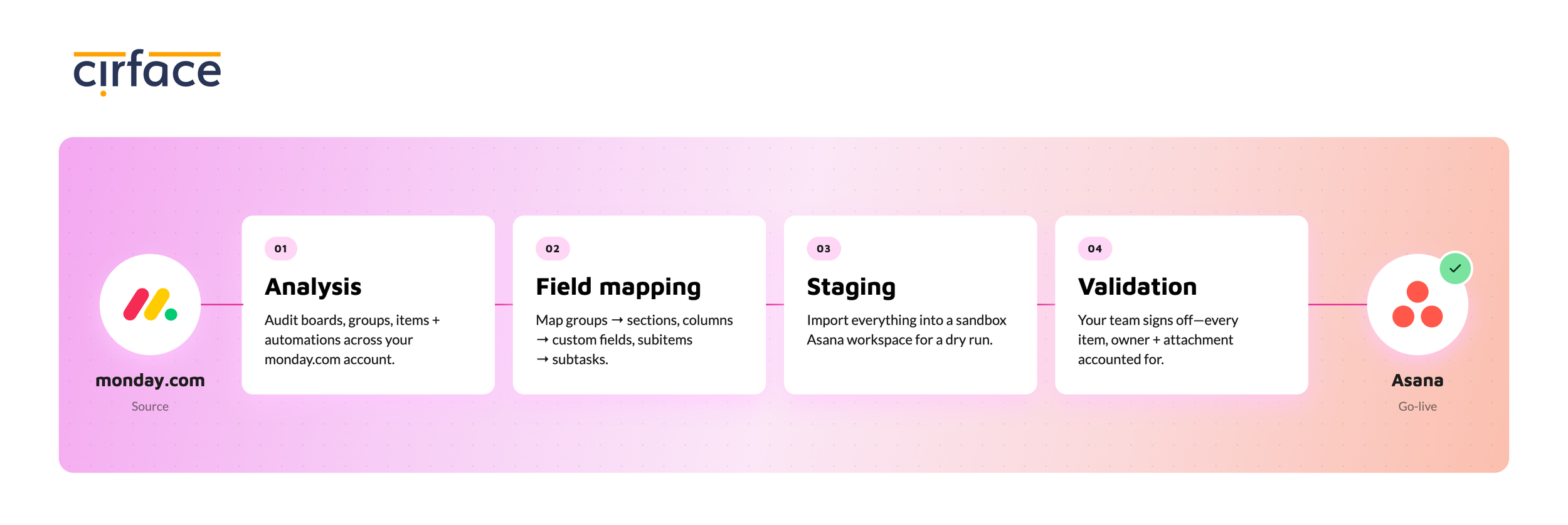
The part that matters most is how it lands. We create a staging area inside your own Asana, a migration portfolio and tracking project where every step is logged. Your migrated projects arrive there first so we can check them against the source before anything reaches your live teams. If something needs another pass, we clear the staging project and run it again with no effect on the work your team is doing that day.
Migrations run four to eight weeks depending on volume and complexity, are priced by item volume, and are scoped before we begin. We complete the final migration, walk your team through the new setup, and support you after launch.
Which migration path should you choose?
If your instance is one workspace with a handful of tidy boards, do it yourself with CSV and spend the money on training instead. If your monday.com account has grown organically across departments for three years and nobody is entirely sure what half the mirror columns feed, talk to us before you export anything.
| Path | Best for | Effort | Fidelity |
|---|---|---|---|
| CSV export and import | Small number of clean boards, tight budget | Low | Structure, fields, and dependencies. No comments or attachments |
| Unito sync | Phased rollouts, teams that cannot switch on one date, proving value first | Medium, plus a subscription | Good on live data. Not a structural redesign |
| Cirface migration service | Multi-department instances, heavy connect board webs, years of history worth keeping | Low for you | High, including comments, attachments, hierarchy, and dependencies, validated in staging before go-live |

A migration is also a chance to fix the process
A migration is the rare moment when everyone on your team already expects things to work differently. That makes it the easiest time you will ever get to change how the work actually runs.
The common mistake is to rebuild monday.com inside Asana. Same boards, same fields, same steps, new logo. It feels like the safe choice, but it carries every workaround your team invented to cope with the old structure straight into the new tool.
It is worth asking which of your processes deserve to survive the move. Which steps exist because the work genuinely needs them, and which ones exist because your team built a workaround years ago and nobody revisited it. Your team already knows where the friction is, and those pain points are worth collecting before anyone touches a configuration screen, because they will follow you into any tool if you do not address them. The second half is structural. Asana organises work differently from monday.com, as we covered above, so a process designed around boards will not automatically be the right shape once tasks can live in several projects and projects can roll up to several portfolios.
That is a design exercise, not a data transfer, and it is worth doing deliberately rather than in the fortnight after go live.
This is what our Asana implementation and workflow optimization service is for. We run discovery, design the workflow, build it in Asana including AI Studio automations where they make sense, pilot it with one team, then document and roll it out. Teams often pair it with our migration service so the data moves and the process improves in one go, rather than switching tools now and fixing the workflow later. Learn more about workflow optimization.
Final thought
monday.com and Asana are both strong platforms, and this was never going to end with one of them being bad. What separates them is how they organise work. monday.com keeps work on boards and gives you a deep set of tools for making a board do more. Asana connects work across projects, portfolios, and goals, and that connection is part of the product rather than something you configure on top.
Plenty of teams run happily on monday.com for years, and some of them should not move at all. The ones that do move tend to hit the same three walls: dashboards that run into plan limits, goals that sit apart from the work meant to move them, and a structure that takes more upkeep every quarter.
If you are not sure which side of that line you are on, that is worth a conversation before your next renewal. Book a thirty minute call with our team and we will look at your setup and tell you honestly whether a move is worth it.
FAQ
What is monday.com mainly used for?
Visual work management. Boards, columns, and automation recipes make it strong for request queues, editorial calendars, operational tracking, and project delivery, and teams and user groups let multiple departments work in the same account. It is one of the fastest platforms in this category to set up and get adopted.
What is Asana mainly used for?
Coordinating work that crosses teams and connecting that work to organisational goals. Its data model lets a single task live in multiple projects at once, and a single project live in multiple portfolios, which makes portfolio roll up, goal tracking, and executive reporting work without manual assembly.
Does monday.com have goals or OKRs?
Not as a built in object. monday.com's own documentation shows you how to build an OKR board with columns for key results, and there are marketplace apps and external integrations that add goal management. Asana Goals is built in and calculates progress automatically from connected projects and sub goals.
Which monday.com features are on the Enterprise plan?
The portfolio solution, the All Projects Dashboard, AI risk insights, dependencies across project boards, the Resource Directory, Resource planner and Capacity manager, managed templates, the workflow builder, the pivot table, and the advanced security and permissions controls. Enterprise pricing is quote based.
Can I move from monday.com to Asana with a CSV export?
Yes, for the structure. Asana's importer handles task names, descriptions, assignees, dates, followers, custom fields, sections, subtasks, and dependencies. Comments and attachments do not transfer, and automations have to be rebuilt.
How much does AI cost on each platform?
monday.com gives each paid tier a one time allowance of AI credits to try the features, after which you buy the AI credits add on and credits sit alongside your seats as a separate cost that grows with usage. Asana includes AI Studio Basic on every paid tier with a monthly credit allowance that refreshes, and AI Studio Plus or Pro are available if a team needs more.
Is Asana more expensive than monday.com?
At the entry level they are close. monday.com Basic is nine dollars per seat billed annually or twelve billed monthly, and Asana Starter is ten ninety nine billed annually or thirteen forty nine billed monthly. The comparison changes higher up, because the portfolio and goals features Asana includes in Advanced at twenty four ninety nine sit on monday.com's Enterprise plan, which is quote only. Compare the tier that has the features you need rather than the cheapest row.
How long does a monday.com to Asana migration take?
Four to eight weeks is typical, and where you land inside that depends on how many items you are moving and how complex the structure is. Most of that time goes into structural design, validation, and training rather than the data transfer itself.