Asana Bundles: How to Update Workflows Across Active Projects.
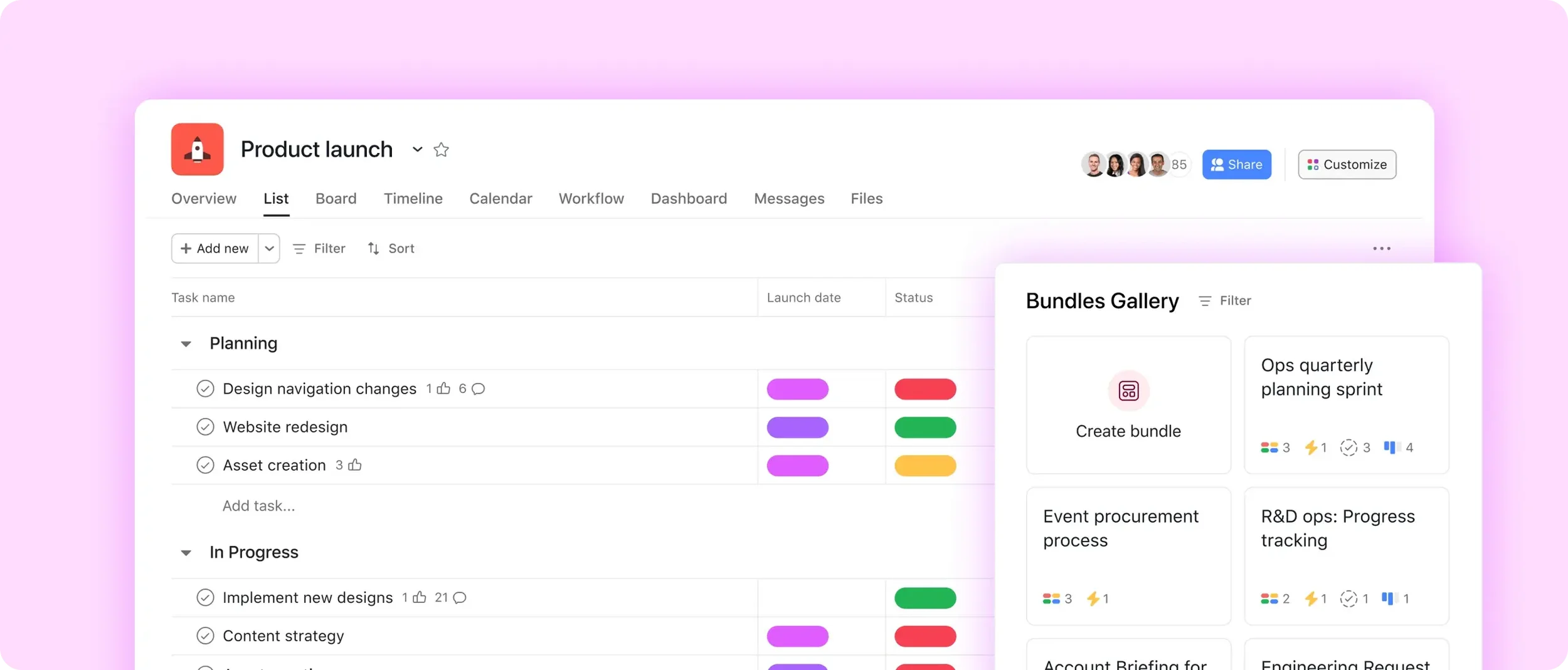
If your team's workflows keep changing after a project is already underway, Asana bundles are the feature that lets you update every one of those projects at once.
The first time a team standardizes work in Asana, a project template usually feels like the answer.
And often, it is.
You define the sections, add the core tasks, set up rules, and fields, and now every new project starts from the same place. That solves the first problem.
Then the workflow changes.
A new phase gets added. A reminder rule needs to go out earlier. You decide to track estimated hours. You introduce a new deliverable your team did not handle before. Suddenly you have one improved template, plus 30 active projects still running the old setup.
That is the moment bundles start to matter. (Check out how we used bundles in this intense Wrike-to-Asana migration)

What are Asana bundles?
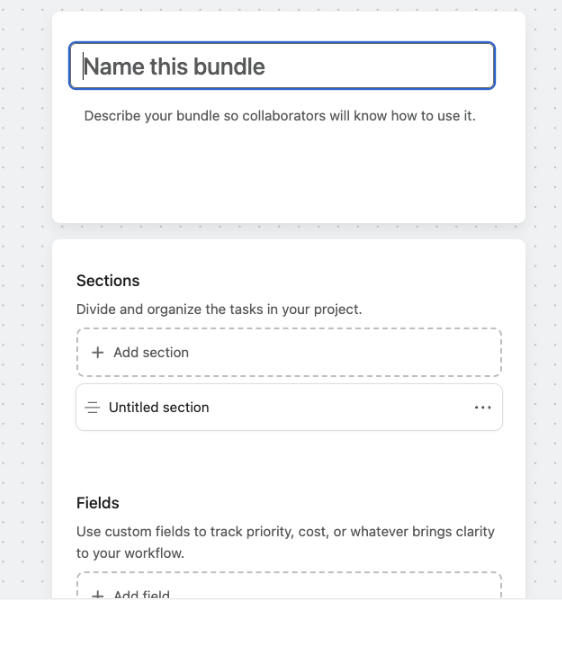
Asana bundles are any combination of sections, rules, fields, and task templates that can be applied across multiple projects at once. When you update a bundle, those changes can be reflected in every project using that bundle.
One important detail: bundles do not include actual tasks. If you need a project to start with the same tasks every time, use a project template. Then use a bundle for the workflow components you want to standardize and keep updated across projects.
Bundles are available on Asana Enterprise, Enterprise+, and legacy Enterprise.
Asana bundles vs project templates: what to use and when.
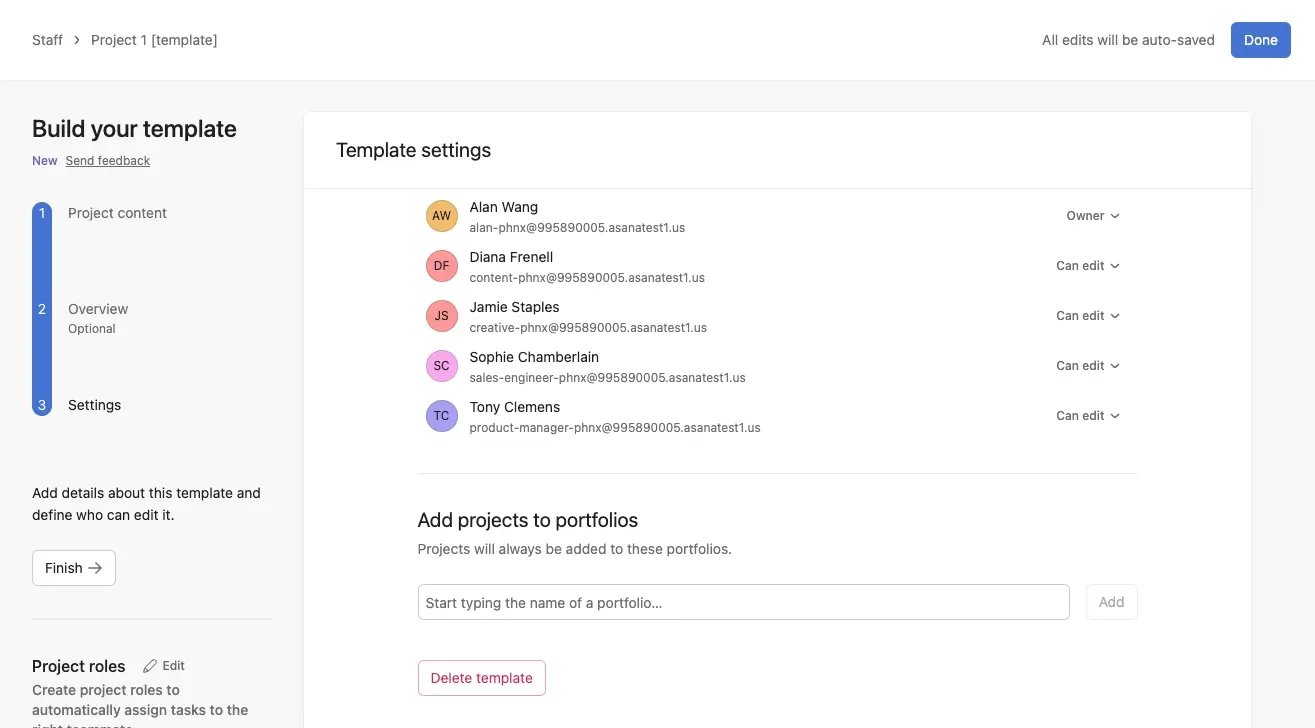
A project template gives you a standard starting point.
A bundle helps you keep shared workflow components aligned across many projects, including work that is already in motion.
That is why bundles and project templates work well together.
Use a project template when you want to define:
sections
repeatable tasks
features from the Customize menu, such as forms, rules, and fields
Use a bundle when you want to package and maintain:
sections
rules
fields
task templates
If your workflow is fairly stable, creating projects from templates may be enough.
If your team is managing dozens or hundreds of active projects and the workflow keeps changing, bundles make a much bigger difference.
Why bundles matter once projects are already active
This is the part that makes bundles worth understanding.
A project template is great for standardizing how new projects begin. But if you update the template later, that change helps the next projects you create from template. It does not automatically clean up the projects that are already underway.
A bundle closes that gap.
If the shared workflow changes, you can update the bundle and then apply those changes across the projects using it. That means your current projects do not keep drifting away from the improved version of the process.
This is especially useful when you want to:
add a new section because the process now has another phase
introduce a new rule, such as a due date reminder
roll out a new number field or single-select field across active projects
add a new task template that every team should start using
After you edit a bundle, Asana prompts you to apply the changes. That step matters. If you want the projects using the bundle to receive the update, make sure you apply it.

A practical example: adding a new deliverable across 30 active projects
Let’s say a marketing team runs campaign launch projects for different regions.
They already have a solid project template. It includes the core sections, the standard launch tasks, and the basic workflow setup the team needs every time.
Then the process changes.
The team decides every campaign now needs a paid ads deliverable. So they create a task template for that work. The task template includes:
a consistent naming convention
a description with the execution notes
subtasks for production and review
multihoming into a separate paid media production project
At the same time, they decide to start tracking effort with the time tracking field for estimated hours.
Now they have 30 active campaign projects already in progress.
If they only update the project template, the next project created from template will be better. But the 30 active projects will still be missing that paid ads task template and the estimated hours field. Someone will have to open project after project and add those pieces manually.
That is where bundles save real time.
The team adds the paid ads task template and the estimated hours number field to a bundle that is already attached to their campaign setup. Once the bundle is updated and the changes are applied, the new standard is pushed across both the template and the active projects using that bundle.
That means:
new projects start with the improved workflow
active projects stay aligned with the updated process
reporting becomes more consistent because the same field exists everywhere
the team avoids repetitive cleanup work across dozens of projects
The time savings are not dramatic because one click is magical. They matter because no one has to spend multiple minutes inside each active project making the same update over and over again.
The same logic applies well beyond marketing. An operations team could use bundles to roll out a new approval phase across implementation projects. An HR team could use them to add a new onboarding checkpoint across active hiring or onboarding programs.
If your team already has a lot of active projects and the structure has started to drift, that is usually the point whereAsana workflow optimization becomes useful. The hard part is not deciding what the better workflow is. The hard part is rolling it out cleanly across work that is already moving.
How to use Asana bundles
Setting up a bundle takes a few minutes, and the payoff comes later, when a process changes and you can update everything at once. Here is the basic flow.
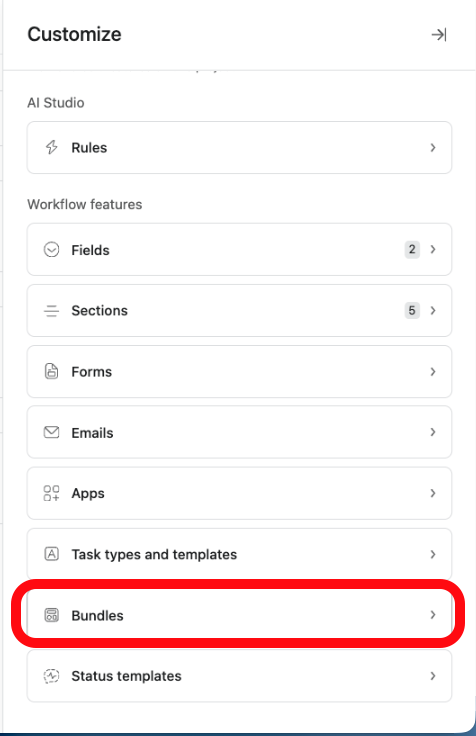
Create a bundle from the Customize menu. In any project, open Customize, find the Bundles section, and create a new bundle (admins can also manage bundles from the Admin console). Give it a clear name like "Campaign delivery" so the team knows what it standardizes.
Add the components you want to reuse. Build the bundle from the pieces that should look the same everywhere: sections, rules, custom fields, and task templates. Bundles do not carry actual tasks, so if a project also needs to start with the same task list, pair the bundle with a project template.
Apply the bundle to your projects. Add it to new projects as you create them, and to the active projects that need the same setup. Every linked project now shares that structure.
Update once, then apply the change. When your process shifts, say you start tracking estimated hours or add a paid ads task, edit the bundle a single time. Asana then prompts you to apply the change, and every project using that bundle picks it up. This is the step people miss, so confirm the apply prompt or the update stays local to the bundle.
Set who can edit versus apply. Use bundle permissions to keep changes controlled. A bundle admin can edit, apply, manage permissions, and delete. An editor can edit and apply. A user can only apply the bundle to projects.
Start with one bundle for your most repeated workflow, prove it out, then expand. Bundles are available on Asana Enterprise, Enterprise+, and legacy Enterprise.
Conclusion
If your workflow is stable, a project template may be all you need.
If your workflow keeps evolving, bundles are what help the system keep up.
That is the real value. Not just having a standardized setup at the start, but being able to improve the process without leaving all your active projects behind.
If you are at the point where your team is running a lot of similar projects and the setup is starting to drift, bundles are worth a serious look. And if you want a second set of eyes on how to standardize your Asana setup without making it heavier than it needs to be, you cancontact us or join theCirface newsletter for more practical guidance.
Frequently asked questions
1. What can you include in an Asana bundle?
Bundles can include sections, rules, task templates, and fields. They do not include actual tasks. If you need projects to start with the same tasks every time, use a project template first, then apply a bundle for the other workflow components.
2. Do bundle updates affect current projects?
Yes. After you edit a bundle, Asana prompts you to apply the changes. Make sure you do that if you want the projects using that bundle to receive the update.
3. Are bundles the same as project templates?
No. A project template helps you standardize the starting point for new projects. Bundles help you standardize sections, rules, fields, and task templates across both future projects and current, in-flight projects. In practice, they work best together.
4. Who can edit a bundle?
A bundle admin can edit and apply the bundle, manage permissions, and delete it. An editor can edit and apply it. A user can only apply the bundle to projects.
5. Are bundles available on all Asana plans?
No. Bundles are only available on Asana Enterprise, Enterprise+, and legacy Enterprise.