Asana Onboarding Is NOT Training. Here's What It Should Look Like
One of the biggest mistakes I see teams make with Asana is assuming that rollout equals adoption. After training hundreds of teams, I can tell you that giving people access to the platform is not the same as preparing them to use it well.
The issue usually is that most teams treat Asana onboarding and Asana training as the same thing.
They are not.
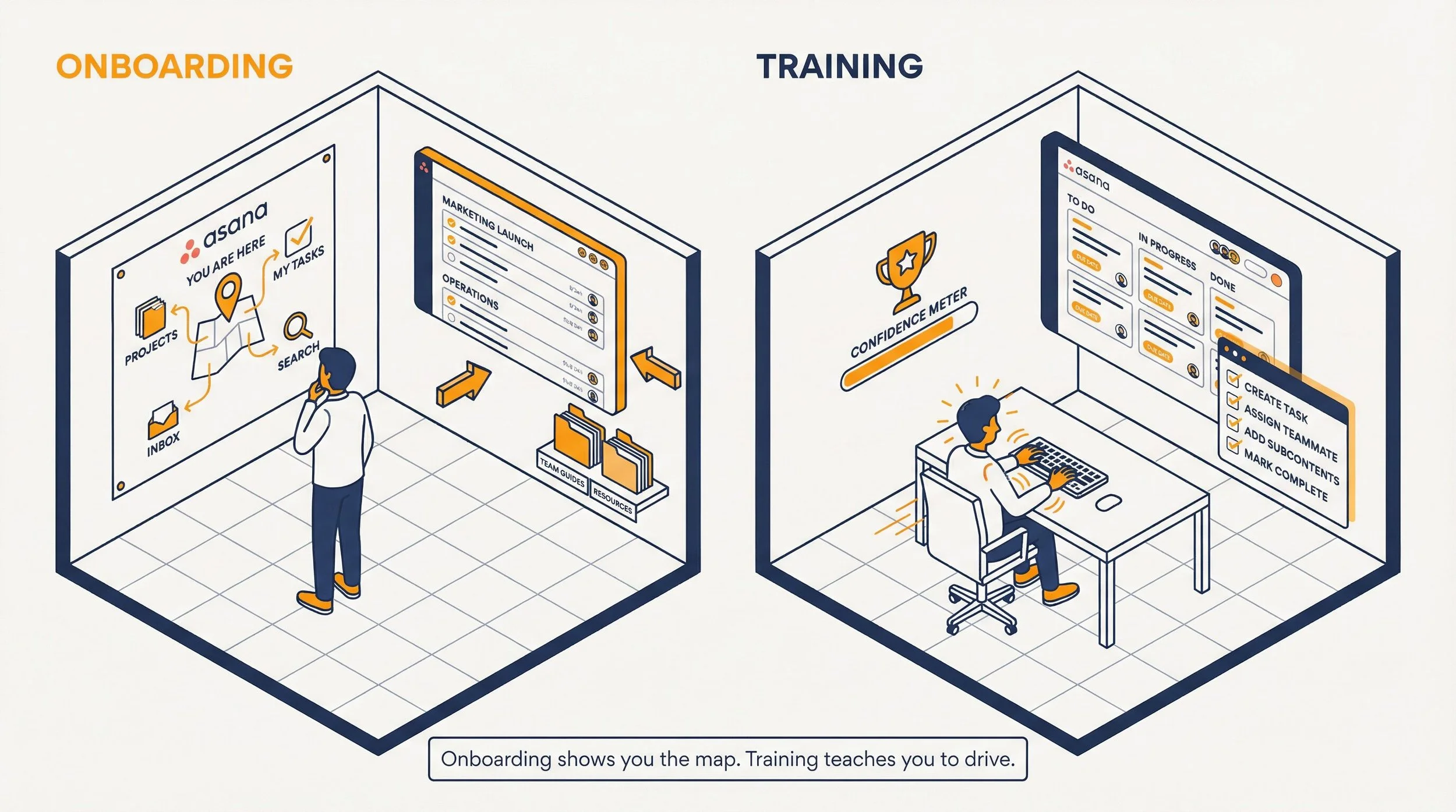
Asana onboarding introduces people to the tool, your structure, and where to find what they need.
Asana training teaches them how to actually work inside Asana with confidence. When only one is in place, adoption stalls. When both are intentional, teams are much more likely to stick with it.
This guide breaks down what each one should include, how they work together, and what to do if you are on Enterprise, Enterprise+, Starter, or Advanced.
| Element | Purpose | What it covers | What happens if it is missing |
|---|---|---|---|
| Onboarding | Orientation | Why the company uses Asana, where things live, how the setup works | People feel lost and treat Asana like another app |
| Training | Skill-building | How to use features and workflows effectively | Adoption stays shallow and inconsistent |
| Workflow design | Operational structure | How work actually moves through Asana | The team learns a broken or confusing system |
What Is Asana Onboarding?
After working with hundreds of teams, I’ve found that Asana onboarding is often misunderstood.
It is not the same as using Asana to manage employee onboarding tasks. It is the process of introducing people to Asana itself so they understand why the company uses it, how the account is structured, and where to find the projects, workflows, and resources that matter to their role.
In other words, Asana onboarding gives new users orientation and context. It helps them enter the platform with clarity, so training can focus on building real skill instead of filling in basic gaps.
Good Asana onboarding answers three questions for every new user:
1. Why does our company use Asana?
This sounds obvious, but it's often skipped. New team members need to understand that Asana isn't just "another app." It's where the company centralizes operations, automates workflows, stores policies and documentation, and tracks progress across teams.
Without this context, people treat Asana like a glorified to-do list and never engage with it fully.
2. How is our company structured in Asana?
Every organization sets up Asana differently.
New users need a clear picture of how things are organized: which teams exist, which are ongoing projects versus deadline-driven ones that use project templates, how portfolios are used for oversight, and what workflows are already running.
Think of it as a map. A marketing campaign process, a client onboarding flow, a product launch pipeline. When people can see the system, they trust it.
3. How do I use it?
This is the practical layer.
New users need walkthroughs that show them how to submit a request through a form, how a form submission task converts into a project, how to review a portfolio for status updates, and how to navigate the tools that matter most for their role.
How Asana Custom Onboarding Works on Enterprise and Enterprise+
Source: Asana help
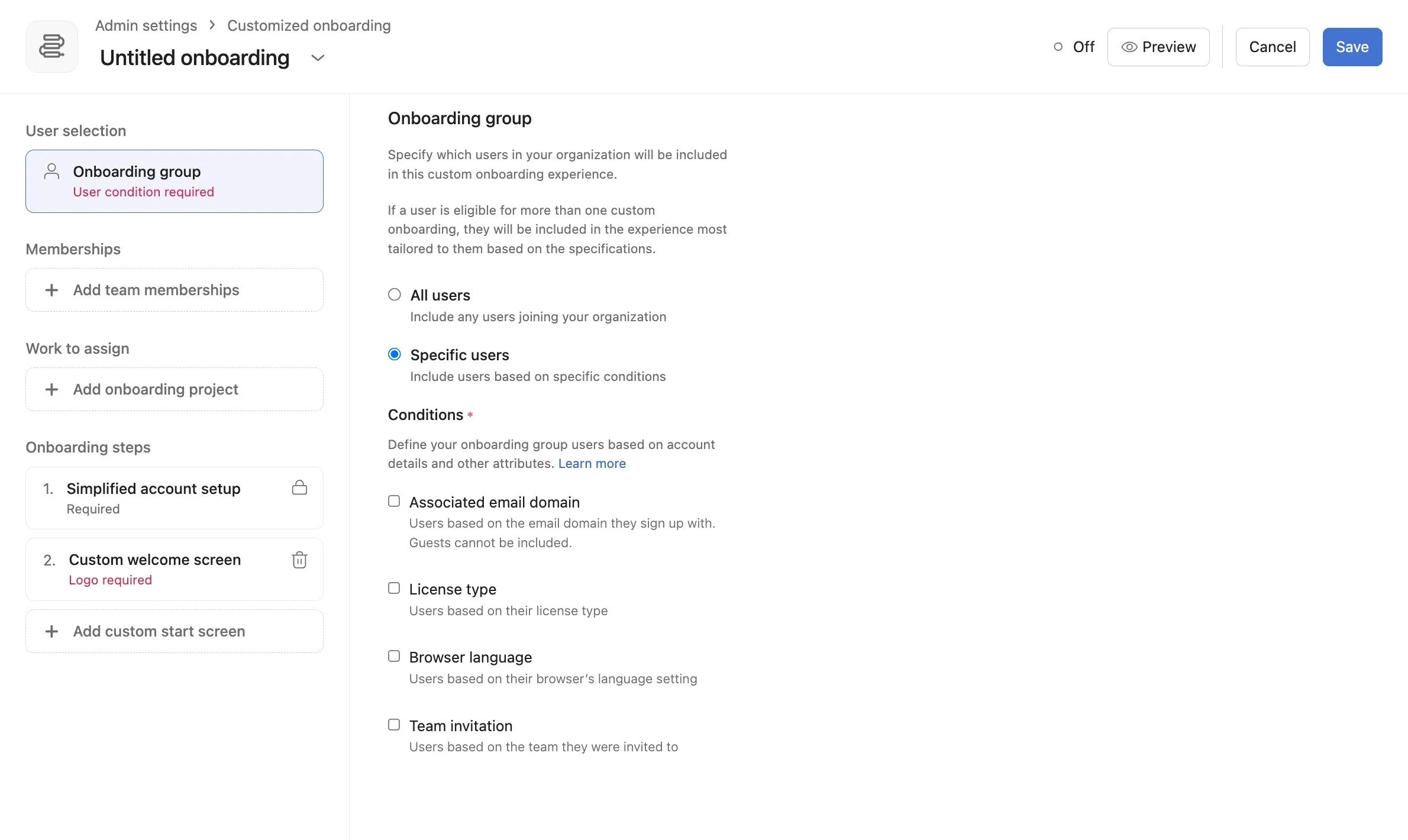
Asana offers a built-in Custom Onboarding feature for organizations on Enterprise and Enterprise+ plans.
It gives admins the ability to design a guided experience that new users see the moment they first log in.
Here's what you can configure:
User targeting. Choose which users receive which onboarding flow based on email domain, license type, browser language, or team invitation. You can create multiple flows for different departments or roles, and Asana will always route users to the most specific, applicable flow.
Custom welcome screen. Upload your company logo, set a background color or image, and add a branded welcome message. This sets the tone immediately and tells new users they're in the right place.
Automatic team memberships. Add new users to the right teams from day one so they can see relevant projects as soon as they arrive.
Onboarding project from template. Select a project template that will automatically generate a personal onboarding project for each new user. If the template includes a Role assigned to tasks, Asana will automatically assign those tasks to the new user.
Custom start screen. Decide where new users land after setup: their Home screen, a team page, the auto-generated onboarding project, or any other public Asana page.
This creates a consistent, branded first impression. Every new user goes through the same intentional experience instead of landing in an empty Asana with zero guidance.
How to Build an Asana Onboarding Project Template on Starter or Advanced
Teams on Starter or Advanced plans don't have access to Custom Onboarding, but that doesn't mean the process has to be improvised.
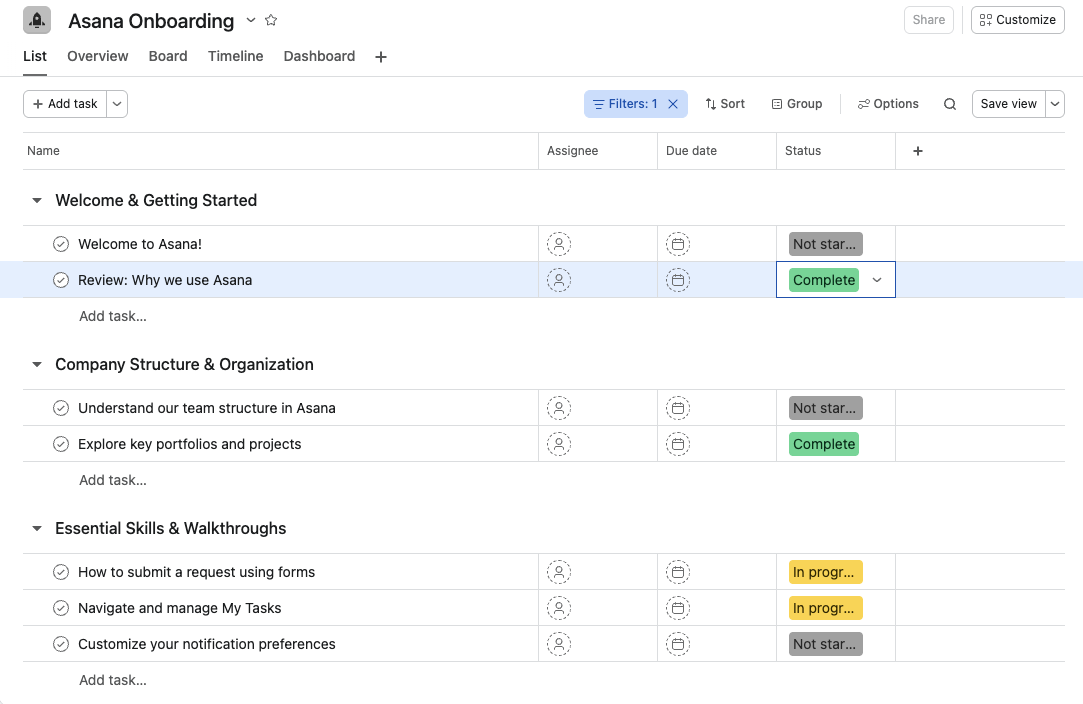
You can build a comprehensive onboarding project template that covers everything a new user needs.
A strong Asana onboarding template should include:
A welcome section with context on why the company uses Asana and what role it plays in daily operations
A company structure overview explaining how teams, projects, portfolios, and templates are organized
Step-by-step walkthroughs for the most common actions: submitting a form, reviewing a portfolio, navigating My Tasks, customizing notification preferences
Links to key documentation, company policies, and relevant SOPs
Introduction meetings or check-ins with team leads who can answer questions in context
When a new team member joins, you create a project from this template, assign it to them, and they have a clear path to follow.
It's not automated the way Custom Onboarding is, but it's structured, repeatable, and far better than sending someone a link and hoping for the best.
Why Asana Onboarding Alone Is Not Enough for Adoption
In my experience, onboarding and adoption break down when teams treat orientation as the finish line.
Onboarding is important because it introduces people to Asana, gives them context, and shows them where things live. But that only gets someone familiar with the environment. It does not build the skill or confidence needed to use the tool well in real work.
That is where training comes in.
Training goes deeper. It teaches people not just what a feature is, but when to use it, why it matters, and how it fits into the team’s actual workflows.
That includes things like custom fields, rules, dashboards, and portfolios. When teams are trained properly, they can do more than follow steps. They can spot issues, ask better questions, and work inside Asana with a lot more confidence.
I have seen this play out repeatedly with teams that roll out Asana quickly but skip structured training. People log in, click around, and get through the basics, but they never build real fluency.
That is usually when adoption starts to stall. The team knows Asana exists, but they do not yet know how to use it in a way that feels natural, useful, and worth sticking with.
The "We'll Figure It Out" Trap
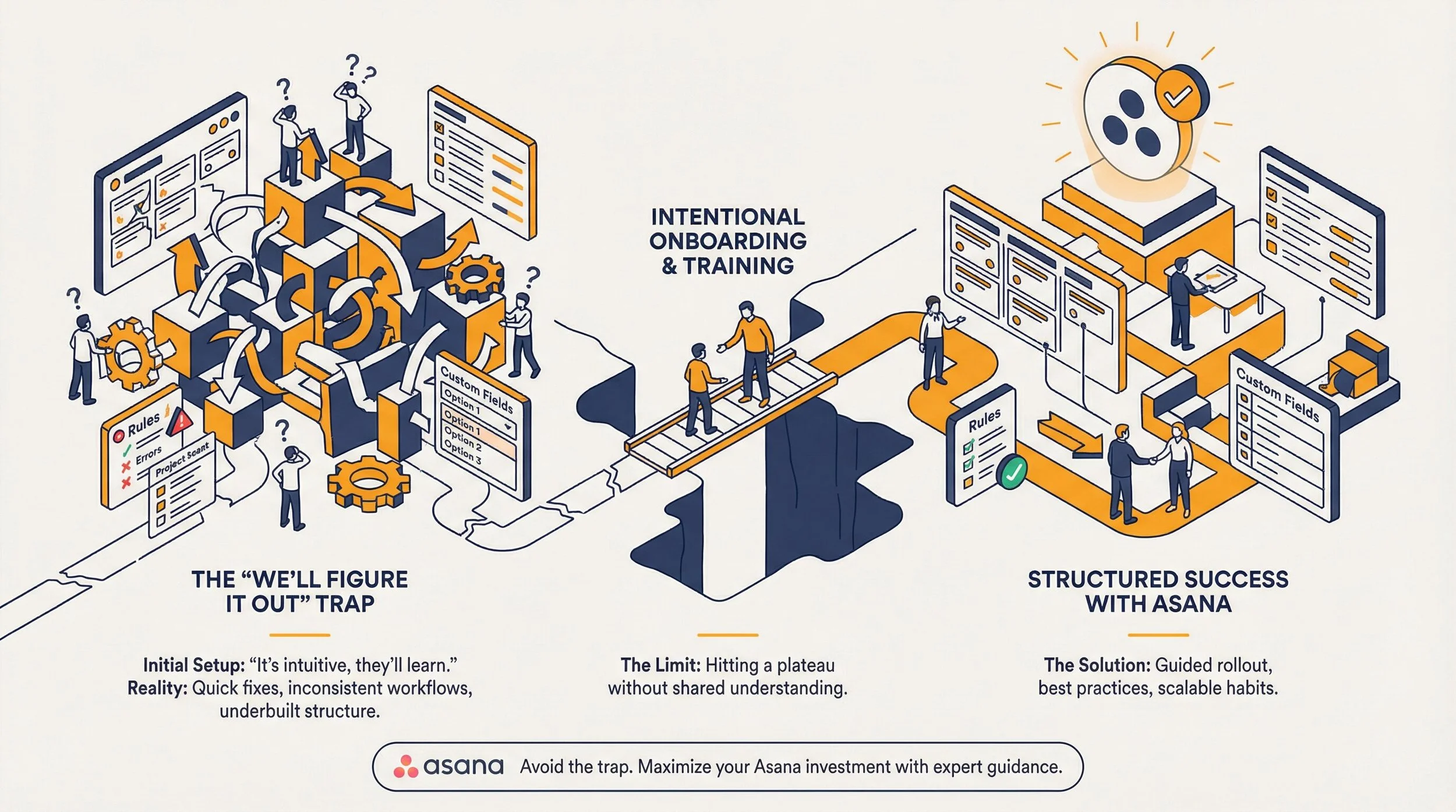
This is one of the most common patterns we see, especially on fast-moving teams. Someone rolls out Asana, builds a few projects, and assumes the rest of the team will pick it up as they go.
At first, that feels reasonable. The team is capable, Asana seems intuitive enough, and there are plenty of help articles available. But what usually happens is different. People run into setup decisions they are not confident about, like how to structure a custom field, build a rule, or organize a workflow. They make a quick choice just to keep work moving, and those quick fixes start to pile up. Over time, the team ends up working in a version of Asana that technically functions, but does not reflect best practice or fully support how they actually work.
This is often the point where teams reach out to us for Asana training or workflow support. Not because they failed, but because they have hit the limit of what a self-serve rollout can realistically carry. The issue is rarely effort. It is usually a lack of structure, shared understanding, and the kind of guidance that helps teams use the platform well from the start.
Without intentional onboarding and training, even motivated teams tend to plateau early. The result is an Asana setup that feels underbuilt, inconsistent, and harder to untangle the longer it runs that way. The teams that get the most value from Asana are usually the ones that recognize this early and bring in support before those habits become permanent.
How to Approach Asana Training for Your Team
There are a few paths, each with different tradeoffs.
Asana Academy (Self-Paced)
Asana Academy offers a solid library of video lessons and courses. It's free, flexible, and lets team members learn on their own time. For busy teams, that flexibility is appealing.
But I’ll be honest here…there are real limitations. Team members pick and choose what to watch, which means gaps in knowledge are almost guaranteed.
Some people skip ahead, others lose interest halfway through, and there's no way to ask questions at the moment.
Because everyone's experience level is different, a single learning path won't serve the whole team equally.
For some people it works great. For others, it quietly becomes a task that never gets completed.
Live Training with an Asana Partner
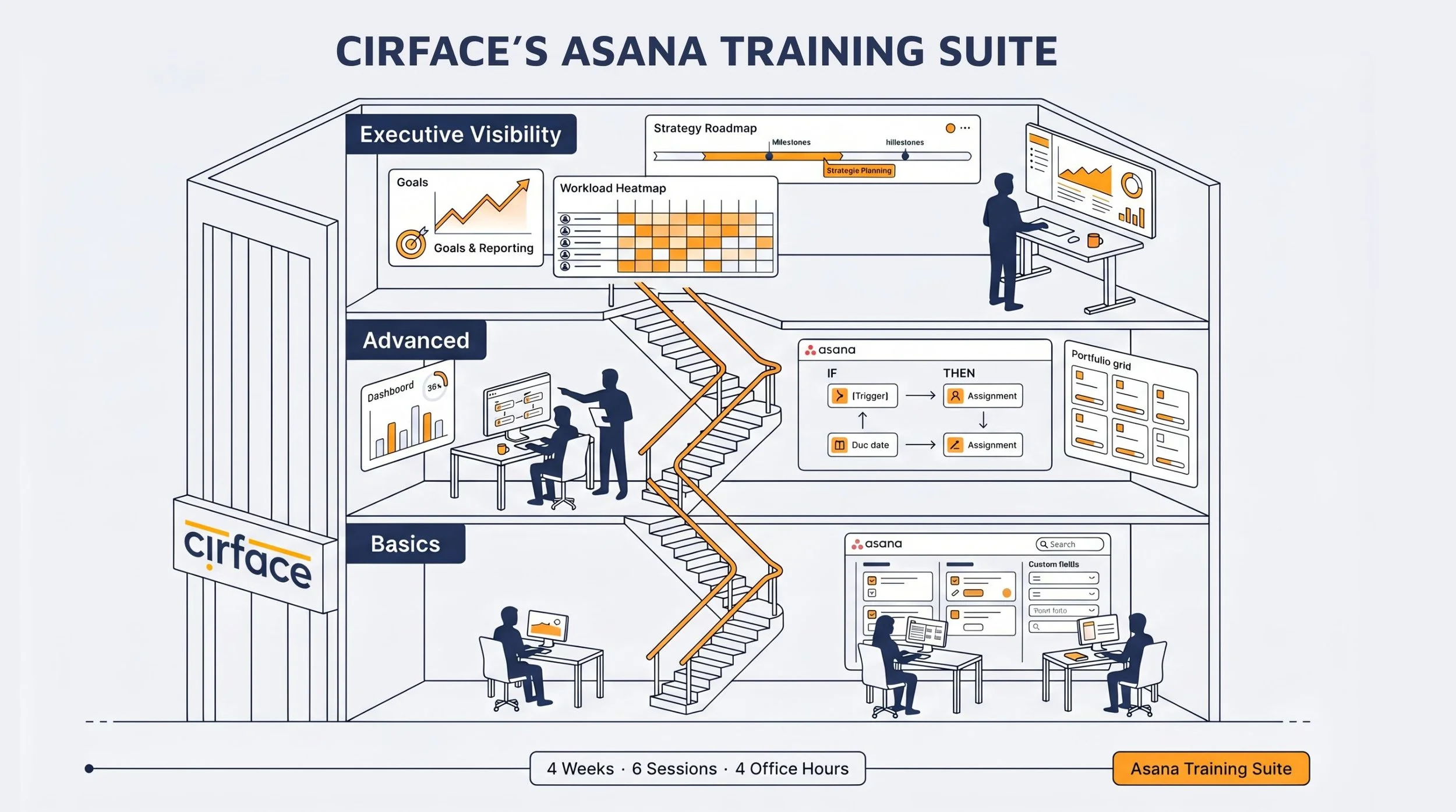
This is where structured, expert-led Asana training makes a real difference.
At Cirface, ourAsana Training Suite is designed around six live sessions delivered over four weeks:
Two basic sessions covering how to capture, organize, and monitor work in Asana. Think task details, custom fields, search, forms, and everyday use cases.
Two advanced sessions on rules and automation, portfolio management, proofing and approvals, dashboards, and project templates.
Two executive visibility sessions focused on strategic planning, goal setting, workload and capacity management, and executive-level reporting.
The full suite covers all three levels, but teams don't need to commit to everything.
Some start with just the two basic sessions to get the team grounded. Others skip the basics and go straight to advanced or executive visibility, depending on where the biggest gaps are. The training is modular, so it adapts to what the team actually needs.
After the sessions, we include four live office hours. Your team gets time to explore Asana on their own, try things in their actual workflows, and come back with questions that are specific to their work.
All sessions are recorded, so your team builds a permanent reference library. You can even link those recordings to an Asana knowledge base project for easy access later. We also provide training decks in PDF format for people who prefer reading over watching.
There's another advantage to working with an Asana partner that's easy to overlook.
When training comes from a tool expert outside the organization, it creates a different dynamic.
Team members tend to be more open with their questions. They're less worried about looking unprepared in front of their manager. They ask the "obvious" questions that actually matter. And an Asana expert brings tips and best practices from working across dozens of teams and industries, not just the experience of one organization.
At Cirface, Asana training happens in a dedicated demo environment, not in the team's live Asana instance. This matters more than it might seem.
Because the trainer uses a dedicated demo environment to deliver the sessions, the training stays focused and consistent. The trainer can showcase features, walk through best practices, and demonstrate workflows without being limited by any one organization's setup.
It also gives them an unbiased view of how Asana works as a platform, not just how their company has set it up. They see how features like rules, custom fields, and portfolios can be applied in different ways, which often sparks ideas they wouldn't have had if training only covered their existing setup.
That said, workflow-specific guidance matters too.
That's why in our implementation engagements, we provide video how-to's tailored to each team's actual workflows so people know exactly how to work within the systems that are built for them.
The combination of broad tool training and specific workflow walkthroughs is what helps adoption stick.
Why Workflow Design Matters for Asana Adoption
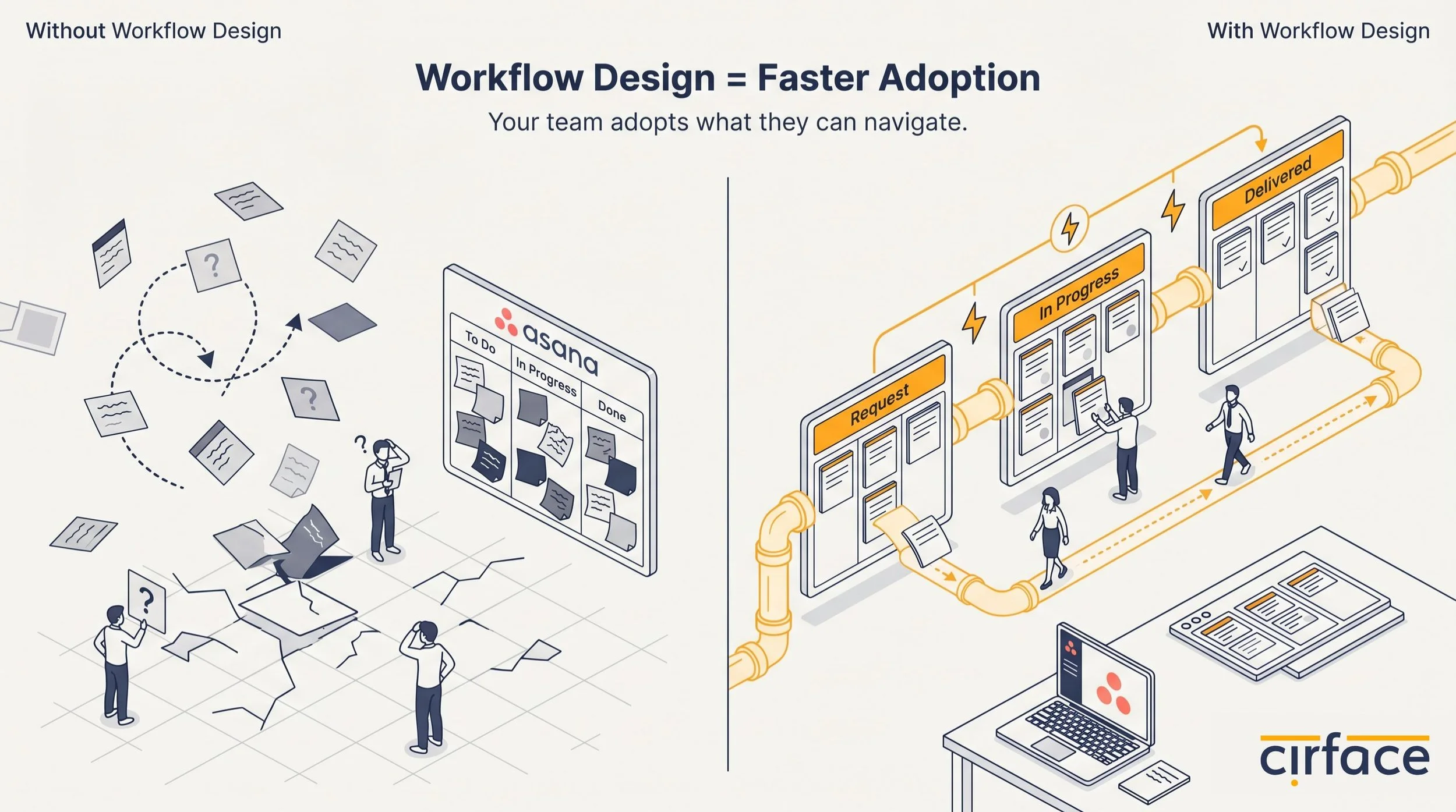
Here's what often gets missed in the onboarding conversation entirely. Even if you nail the onboarding and the training, someone still has to design the workflows your team will live in every day.
Which processes should move to Asana first? How should a marketing campaign flow from request to delivery? What does a client onboarding pipeline look like? How do you structure a product launch so every team knows their part?
These questions require deep knowledge of both the tool and the business. Some organizations have a dedicated operational excellence team or an internal Asana champion who can take this on. But for most companies, that's simply not realistic. It takes significant time and expertise to design workflows that truly leverage the platform.
Working with anAsana partner for workflow design and implementation can make the transition significantly smoother. From mapping your processes outside of Asana to building the final systems inside it, complete with automations, templates, and documentation, having an expert handle the design work means your team can focus on learning and adoption instead of configuration.
Putting It All Together
Adoption doesn't happen because you gave someone a login. It happens when three things are in place:
Onboarding that gives new users context, structure, and a clear starting point
Training that builds real skills and confidence at every level of the team
Workflows that are well-designed, documented, and ready to use from day one
Skip any one of these and you'll feel it. Teams default to old habits, leaders lose visibility, and Asana becomes the tool nobody quite trusts.
When all three work together, Asana stops being "another platform" and starts being the place where work actually happens.
If you're planning an Asana rollout or rethinking how your team uses the tool,we'd be happy to talk through what onboarding, training, and implementation could look like for your team.
Want practical Asana tips and workflow insights delivered to your inbox?Join our newsletter.
Frequently Asked Questions
What's the difference between Asana onboarding and Asana training?
Asana onboarding is the process of introducing new users to the tool: why your company uses it, how it's structured, and where to find what they need. Training goes deeper, teaching people how to use specific features effectively, from basic task management to advanced automation and reporting. Onboarding gets people oriented. Training builds competence. You need both for lasting adoption.
Do I need Asana's Custom Onboarding feature to onboard my team properly?
No. Custom Onboarding is a powerful feature available on Enterprise and Enterprise+ plans that automates the first-login experience with branded screens, automatic team assignments, and auto-generated onboarding projects. But teams on Starter or Advanced plans can achieve a similar result by building a well-structured onboarding project template that walks new users through everything they need to know.
Is Asana Academy enough to train my team?
It depends. Asana Academy is a solid free resource with quality content, and it works well for self-motivated learners. The platform does offer content for different levels, so there's material for beginners and more experienced users alike. The challenge is more about the learning path. Without guidance, team members may not know which courses are most relevant to their role, may skip foundational concepts, or may lose momentum before finishing. There's also no way to ask questions in the moment or get feedback on how they're applying what they've learned. For teams that need consistent skill-building and a structured path, live training tends to drive stronger and more lasting adoption.
How long does it take to fully onboard and train a team on Asana?
A realistic timeline is four to six weeks. That allows time for onboarding during the first week, structured training sessions over the following weeks, and office hours or practice time for the team to apply what they've learned in their actual workflows. Larger teams or more complex setups may need additional time for workflow design and rollout.
Should we start with onboarding or Asana training?
They work best when they happen together. Onboarding gives people the context they need, why the company uses Asana, how it's structured, and where to find things. Training builds the skills to actually work inside it. In practice, general Asana training can even make sense to start early, since understanding the tool's core features helps new users get more out of the onboarding experience. Rather than treating them as sequential steps, think of onboarding and training as two tracks that run in parallel, each reinforcing the other.