
What Are Agentic Workflows? How to Know Your Team Is Ready
Short answer: Agentic workflows are processes where AI agents plan and carry out several steps, use approved tools, make limited decisions, and hand work back to people at the right checkpoints. Your team is ready when it knows where AI is already being used, has one shared place for plans and context, has documented processes with clear owners, and has rules for data access and human review.
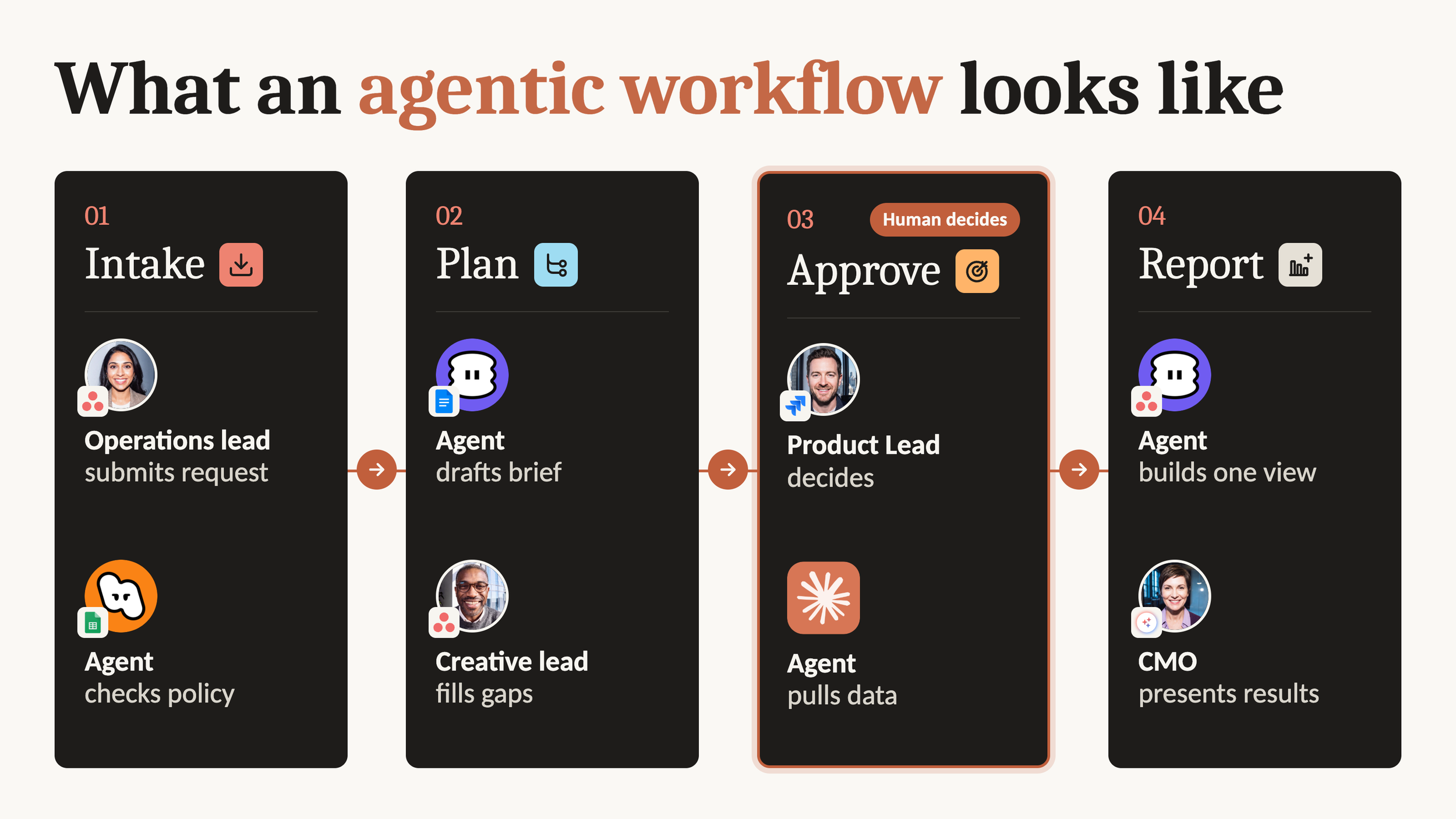
Most teams are already using AI. Someone is summarizing a meeting, drafting a brief, or asking a chatbot to make a spreadsheet easier to read. That is useful, but it is not the same as running work with AI.
That raises three practical questions for operations leaders. What are agentic workflows in everyday language? How do you know your team is ready for one? And how can you start without giving an agent access to everything, everywhere, all at once?
The answer starts with context and rules. The right agent matters, but it cannot make up for a scattered plan, undocumented work, or unclear data boundaries. We learned this by auditing our own company first.
What are agentic workflows?
The simplest agentic workflow meaning is this: a process where an AI agent can plan and complete several connected steps, make decisions within limits, use tools, and return work to a person at defined checkpoints.
That is different from a fixed trigger. A fixed trigger says, when this happens, do that. An agentic workflow can look at the current situation, decide which approved step comes next, and respond to information it finds along the way. The workflow still needs boundaries. The agent is not being asked to invent the goal or operate without oversight.
Imagine a marketing team preparing a webinar. An AI agent could review the project brief, identify missing information, draft a promotion plan, create a first set of tasks, and flag decisions for the campaign owner. The people on the team still decide the audience, approve the message, and handle sensitive information. The agent helps move the work forward inside a process the team understands.
The important point is that the workflow is the system around the AI agent. It includes the goal, the source of truth, the tools the agent can use, the decisions it can make, and the points where a person reviews the work.
Agentic workflows vs automation vs AI agents
These terms are related, but they are not interchangeable. The distinction becomes easier when you think about the job each one performs.
| Type | What it is | How it behaves |
|---|---|---|
| Automation | A fixed set of rules | It follows the same conditions and actions each time. |
| An AI agent | The worker that can interpret information and take action | It can use context to complete a task within its permissions. |
| An agentic workflow | The process the worker operates inside | It connects goals, context, tools, people, decisions, and review points. |
A regular automation might assign a task, move it to a section, notify someone, or post a fixed comment. It is useful when the rule is clear and predictable. It cannot generate or tailor content on the fly.
An AI agent can read what is in front of it and decide what to do next. An agentic workflow gives that agent the structure to do it well. It answers questions such as: What is this work trying to achieve? Where does the agent find the latest plan? What can it change? What must a person approve? What happens when the information is incomplete?
That structure is what makes an agentic workflow useful in a real team. Without it, an AI agent can produce something impressive that still does not belong in the way your team works. If you want to see how this plays out inside Asana, we compare Asana automations, AI Studio, and AI Teammates side by side.
Agentic workflow examples
Asana customers are already running agentic workflows today.
FedEx used to collect requests through more than 24 separate forms. With AI Studio, those now flow into one intake process, and AI Teammates write the first drafts of go to market plans and creative briefs. Planning that took weeks now takes days, and the team gets back more than 1,200 hours a year.
COS, the H&M Group fashion brand, cut campaign setup time by 90 percent. This is a useful example for teams that repeat similar campaign work. When the process, inputs, and expected outputs are clear, an AI agent can help reduce the setup work without asking the team to rebuild its process each time.
Inside Asana, these agents are called AI Teammates. They work on the same projects as your team, from the same plan and with the same context. A launch coordinator Teammate is a good example. It reads status updates as they come in, points out risks and ways to fix them, and follows up with stakeholders who haven't reported back. When their updates arrive, it reviews them and raises anything new. The Teammate is not replacing the launch owner. It is helping the owner see what needs attention before a missed update becomes a missed launch detail.
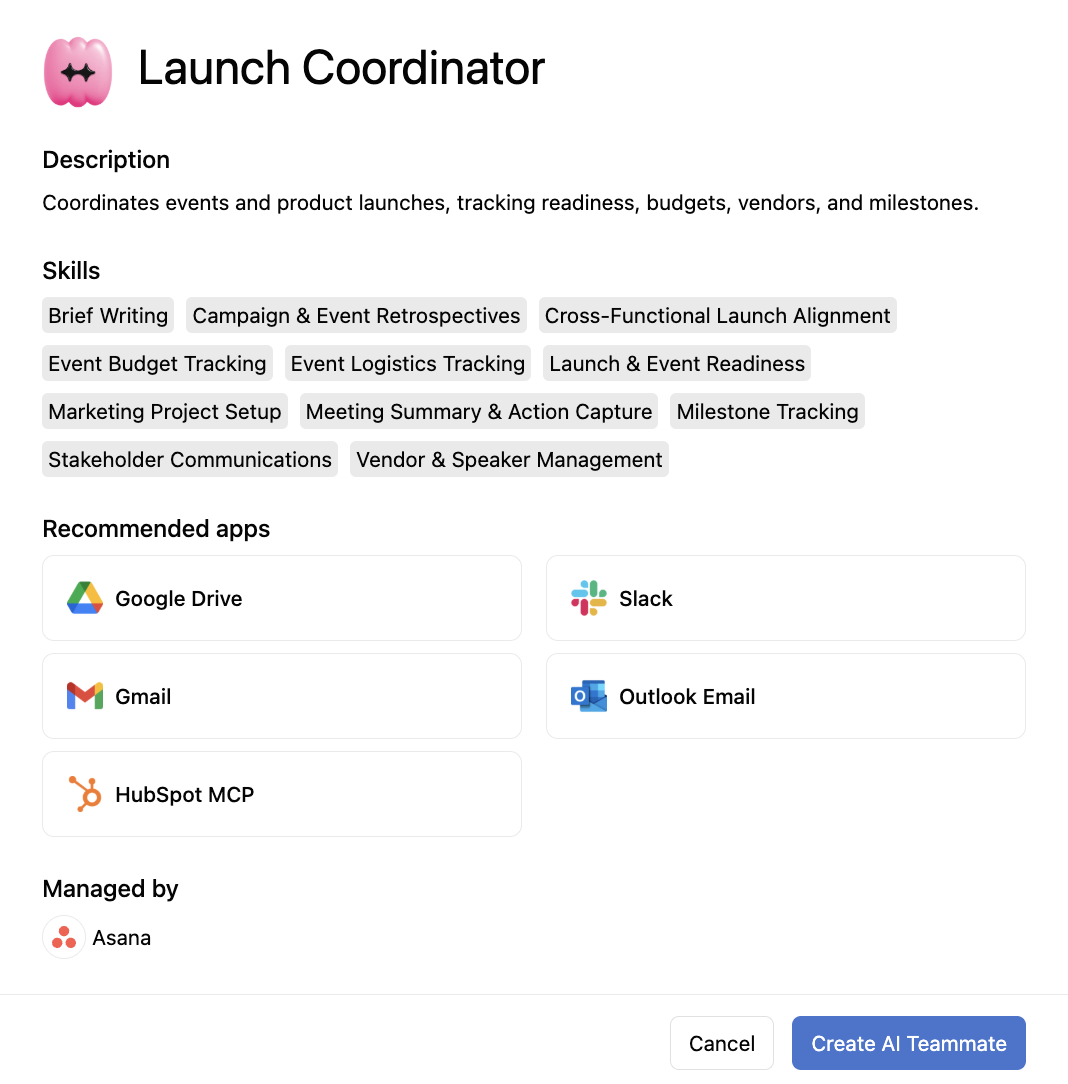
These examples have something in common. The AI agent works inside a defined process with a shared plan, known inputs, and people who remain responsible for decisions.
Why agents need memory and context
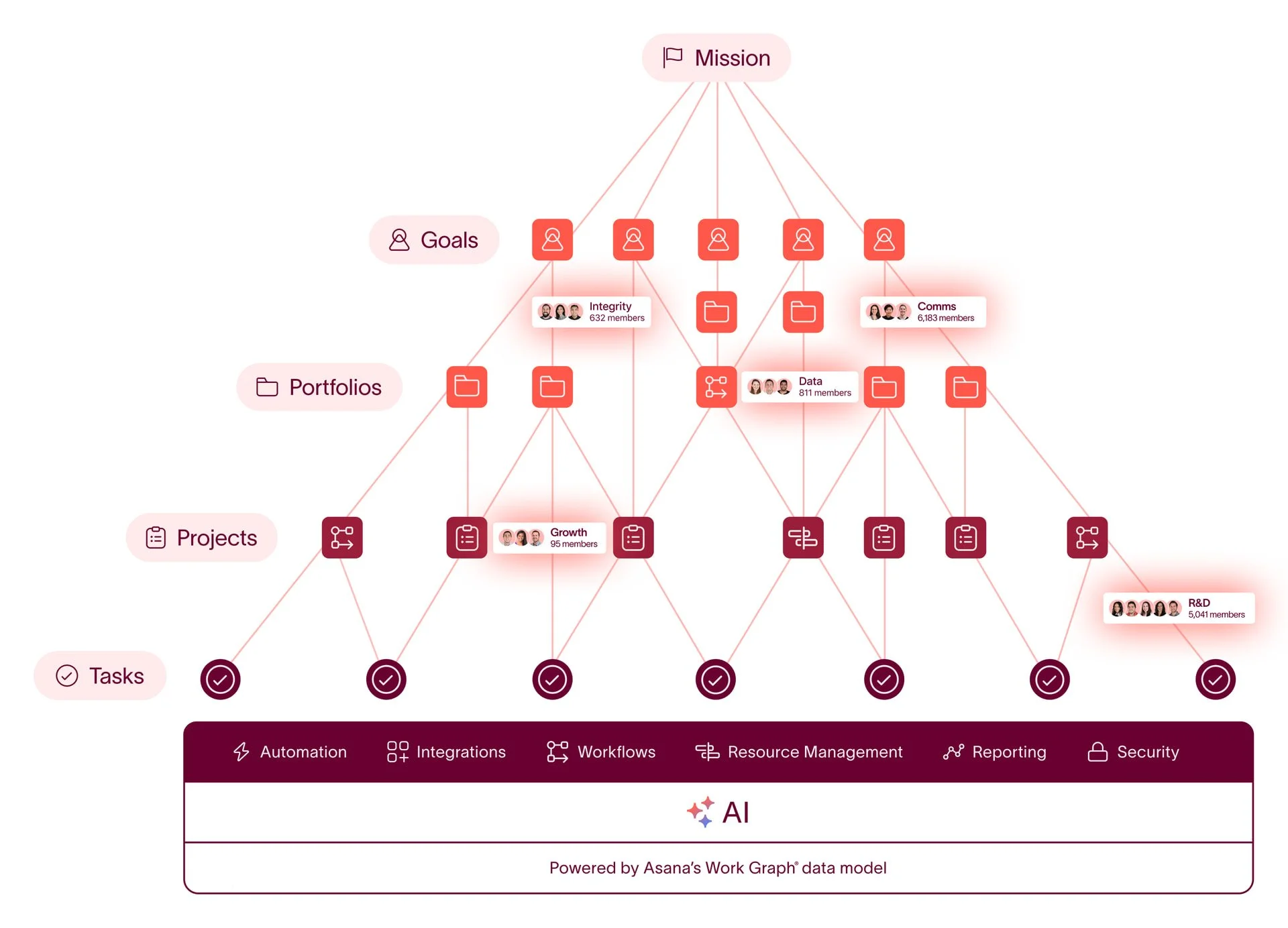
An agent without context guesses. It may produce a polished answer, but it will not know which decision is current, which priority changed yesterday, or which exception your team has learned to handle carefully.
This is why agent workflow memory matters. The useful memory is not a random collection of old prompts. It is the context that helps an AI agent understand your organization’s goals, decisions, priorities, working patterns, and current work.
In Asana, work lives in the Work Graph, which links people, tasks, and goals to the context behind them: the decisions, the priorities, and how your team actually works. Because people and agents draw from the same graph, they work from one plan, share the same history, and follow the same rules.
For an operations leader, the practical lesson is straightforward. Before you ask an AI agent to act, decide where the current plan lives. Make owners and deadlines visible. Record the decisions that change the work. Define which information is safe to use. If your context is spread across personal notes, old documents, chat messages, and several project tools, the agent will have a harder time doing reliable work.
AI agents for project management: agentic workflows in Asana
Asana customers have been able to use AI Teammates as an add on for several months. Since September 16, 2026, Agentic Work Management makes them available on every paid Asana plan. It is built for workflows where humans and AI agents execute together, which makes it a practical starting point for teams exploring AI agents for project management.
It includes AI Teammates, Asana Dash, AI Studio, and AI Connectors and MCP. You can start with more than 30 ready made AI Teammates for marketing, operations, and IT, plus Teammates built for industries like manufacturing, retail, professional services, and healthcare.
Dash acts as an AI chief of staff. It pulls signals from meetings, Slack, and email, tells you what to do next, and hands work to the AI Teammate best suited for it. The point is not to create another place for work to hide. The point is to connect what your team is already doing to the next useful action.Dash acts as an AI chief of staff. It pulls signals from meetings, Slack, and email, tells you what to do next, and hands work to the AI Teammate best suited for it. The point is not to create another place for work to hide. The point is to connect what your team is already doing to the next useful action.
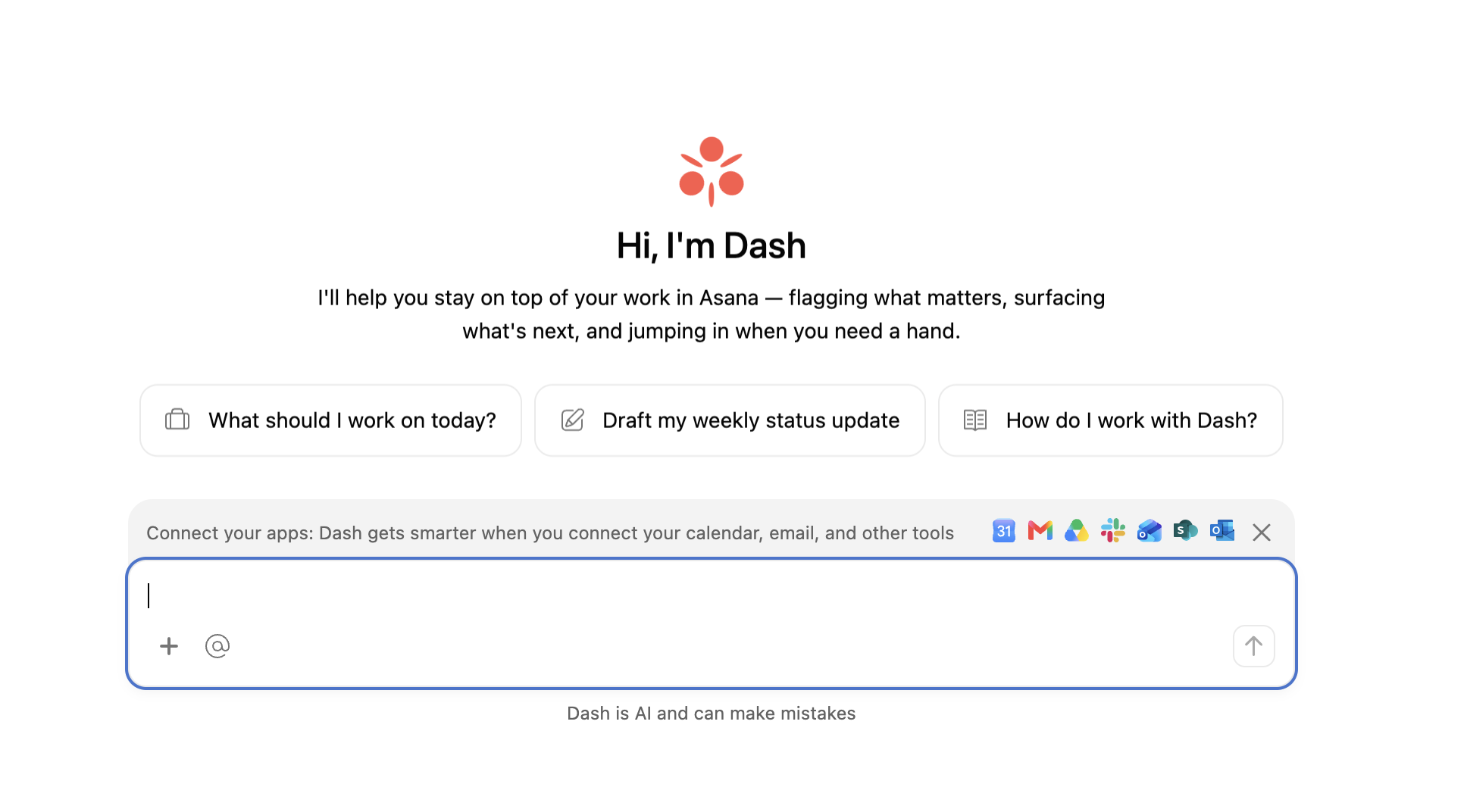
Agentic Work Management brings collaborative work management, Asana AI Studio, and Asana AI Teammates into a unified core experience. That doesn't mean unlimited AI. Every paid plan includes a monthly allowance of AI Teammates requests and AI Studio credits, usage is metered, and more capacity costs extra. Check Asana's pricing page for what your plan includes.
If you want the product details, start with Cirface’s guides to Asana AI Teammates and Asana AI Studio. The bigger operational question is how these capabilities fit into your team’s existing work, ownership, and governance.
AI readiness checklist for agentic workflows
Readiness is not a personality test for your team, and it is not a contest to see who can choose an agent fastest. It is a question of whether your work has enough clarity for an AI agent to participate safely.
Agents tend to stall for a few common reasons. Teams don't know which agents they need, or can't see their own processes clearly enough to decide. People aren't sure how to work alongside an agent day to day. Agents arrive without the context a new hire would get: how the team works, what was already decided, and what matters most right now. And IT leaders worry about what data agents can reach and what they cost.
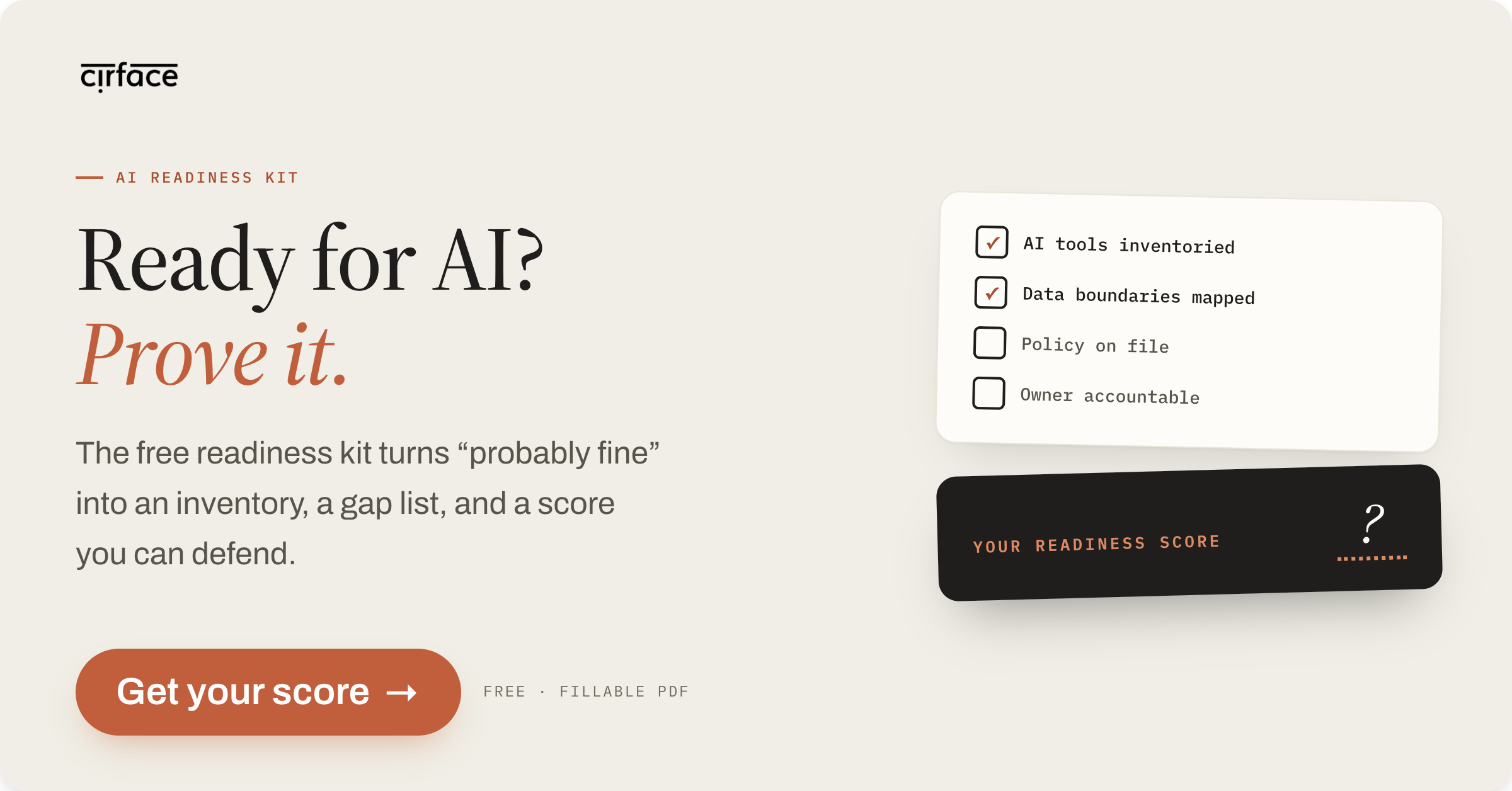
Use these questions as a practical AI readiness checklist:
Do you know every AI tool your team already uses, including personal accounts?
Is there one place where the plan, owners, and deadlines live?
Are your processes documented, with a clear owner for each?
Have you decided what data can go into which tools?
Do you know where a person must review before an agent acts?
Cirface audited our own company and found 15 distinct AI tools in use across the company. Three were approved. Seven of the 15 people surveyed were putting client, personal, or financial data into AI tools. You can read how we audited our own company for shadow AI.
That audit changed the starting point. Before asking which agent we should adopt, we needed to understand what was already happening, where risk existed, and what our people needed from a clearer system.
What makes a workflow a strong candidate for agentic AI?
Look for repeatable, multistep work that needs some judgment, has clear inputs, and has an obvious place for a human checkpoint.
For example, a workflow may be a strong candidate if an AI agent can gather information from a defined source, prepare a draft or recommendation, update approved work records, and send the result to a person for review. It is a weaker candidate when the goal is unclear, the inputs are scattered, the decisions are highly sensitive, or nobody owns the outcome.
You do not need to automate the whole process. Start with one contained workflow where the team can see the benefit and the boundaries. The AI readiness kit can help you work through the questions before you choose a tool. If you want the full picture across the company, start with an AI readiness assessment.
How Cirface helps teams get ready for agentic workflows
We help teams move from scattered AI use to a practical plan. The work usually starts with understanding the current state, then deciding what your team needs to govern and build.
AI readiness assessment: Over two to three weeks, we create a full inventory of AI use and a risk ranked action plan.
AI governance program: Over six to ten weeks, we help your team create policy, data rules, and disclosure that your team owns.
AI strategy and blueprint: Over four to six weeks, we create a prioritized and priced build roadmap. The blueprint includes a systems architecture map, including the centralized context layer your AI will work from. That connects directly to the memory and context problem described earlier.
Assessment fees credit toward the governance program. We're a Platinum Asana Solutions Partner, and we were named Asana Partner of the Year for the Americas in 2025. We're also an Anthropic Partner and an MCPJam Certified Services Partner, so we can help with both your Asana setup and the AI that runs on it.
If you are trying to work out whether your team is ready, you can book an AI readiness call. The goal is not to add AI because everyone else is talking about it. The goal is to find work where better context, clear rules, and the right level of human review can make the team’s day easier.
How to start building an agentic workflow
Start with the work, not the agent. Map one repeatable process, identify its owner, collect the context it needs, and decide where a person must review the result. Then ask whether an AI agent can help with one contained part of that process.
If the answer is yes, you have a safer place to begin. If the answer is no, that is useful information too. It may mean your team needs better documentation, clearer data rules, or one shared plan before an agentic workflow can do its job well.
Conclusion
Agentic workflows are not just a new label for automation. They are a way to place AI agents inside real work, with context, permissions, ownership, and human review. The teams that get value from them will not necessarily be the teams that choose the most tools. They will be the teams that understand their work well enough to decide where an AI agent can help and where a person should stay in control.
Frequently asked questions
What is an agentic workflow in simple terms?
An agentic workflow is a process where an AI agent can plan and complete several connected steps, use approved tools, and make limited decisions within clear rules. People still set the goal, own the outcome, and review work at the right checkpoints.
What is the difference between agentic workflows and AI agents?
An AI agent is the worker that can interpret information and take action within its permissions. An agentic workflow is the larger process around that worker, including goals, context, tools, owners, decisions, and human review.
What is the difference between agentic workflows and automation?
Automation follows fixed rules and performs the same defined action when its conditions are met. An agentic workflow lets an AI agent work through several steps using context and judgment within limits, while still following a process designed by people.
Do agentic workflows replace people?
No. A well designed agentic workflow gives AI agents useful work inside clear boundaries while people keep responsibility for goals, sensitive decisions, and review. The aim is to reduce repetitive coordination, not remove human ownership.
How do I know if my team is ready for agentic workflows?
Your team is closer to ready when it knows where AI is already being used, has one shared place for plans and context, documents repeatable processes, and has clear data and review rules. Start with work that has clear inputs, needs some judgment, and has an obvious human checkpoint.